
• About   |
  • Submit Guest Post |
  • Contact Us
No Result
View All Result
The Second Angle (TSA Magazine)
Advertise
  • Infotainment
    • Sports
    • People
    • Inspiring
  • Entertainment
    • Lifestyle
    • Home & Decoration
  • Buzz
  • Education
  • Travel
  • Finance
  • Healthcare
  • Technology
The Second Angle
No Result
View All Result
  • Infotainment
  • Entertainment
  • Buzz
  • Education
  • Travel
  • Finance
  • Healthcare
  • Technology
Advertisement
ADVERTISEMENT
Home Technology

How To Revert A Chrome OS To A Previous Version

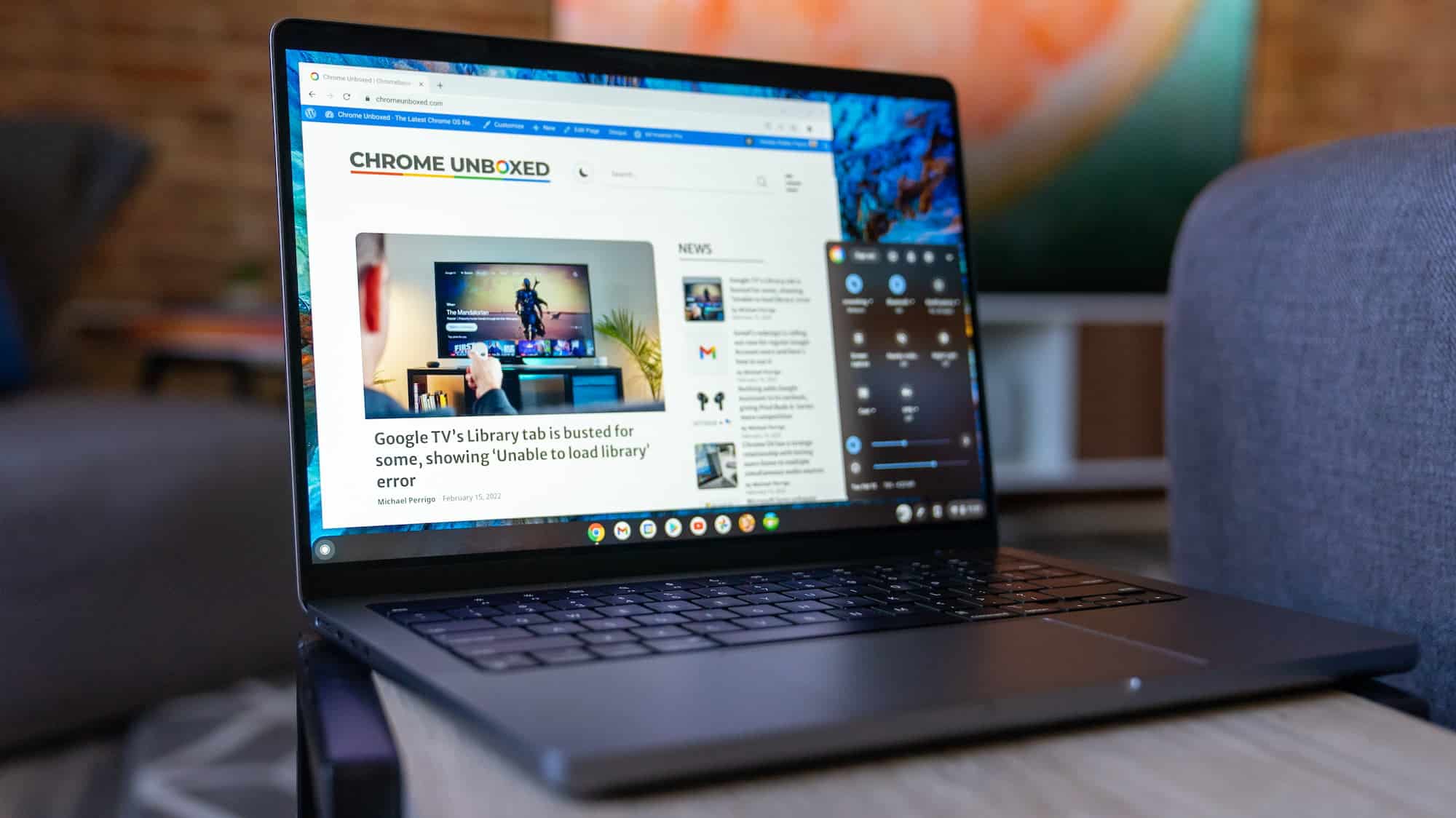
As we've just seen, an issue can slip through testing with a new Chrome OS Stable Channel release. Here is how to revert a Chrome OS to a previous version.

by TSA Desk
October 10, 2022
in Technology
Reading Time: 3 mins read
How To Revert A Chrome OS To A Previous Version

Youtube

Share on FacebookShare on WhatsApp
Advertisement Advertisement Advertisement
ADVERTISEMENT

These sporadic errors may cause minor problems or, in rare situations, major problems. A powerwash can work, but only if your Chromebook downloads the same defective Chrome OS version. Let’s take a look at how to revert a chrome OS to a previous version. 

Essentially, you’ll need to use the same Chromebook Recovery Utility and a USB stick that you’d use to powerwash your Chromebook while it’s not connected to the internet. This tool is included with every Chromebook and downloads the most recent Chrome OS Stable Channel version for your individual device.

Table of Contents
  • Download an earlier version of Chrome OS
  • With the download, create a recovery image.
  • To reverse Chrome OS, use Recovery Mode.
  • CONCLUSION 

Download an earlier version of Chrome OS

To restore Chrome OS to a previous version of the operating system, go to this official Google site first. All Chromebooks that are supported are listed here. The internal board names appear on the left, so you can simply discover your device if you know which board your Chromebook uses.

If you don’t know what the board is called, check in the rightmost column to discover which Chromebook manufacturers and models use it.


RelatedPosts

7 Conspiracy Theories That You Would Definitely Want To Believe In

Can You Download Videos From Facebook?

7 Most Futuristic Concept Cars in the World

7 Most Futuristic Concept Cars in the World

How To Revert A Chrome OS To A Previous Version
Chrome Unboxed

Look in the column adjacent to the Chromebook brand names once you’ve found the row for your device. It’s called “Recovery.” There are also other Chrome OS versions earlier than the current Chrome OS Stable Channel available here.

Simply select the most recent version, which is one major version behind the current Stable Channel. Click on the version to download the recovery software as an a.zip file to your Chromebook.

With the download, create a recovery image.

Now that you have an earlier version of Chrome OS, you may restore Chrome OS by using the Chromebook recovery application to create an external drive.
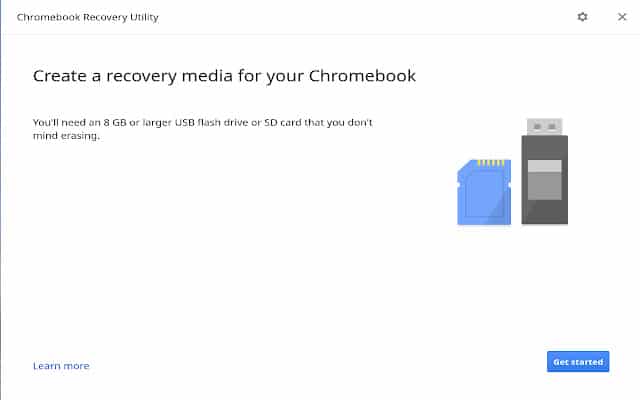
How To Revert a Chrome OS to a previous version
Image Source: chrome. google

Instead of selecting the manufacturer and model of your Chromebook in the utility, click the settings button at the upper right. Choose the option to use local media if you see it.

Select the.zip file you downloaded for the previous Chrome OS version in the following box. In this manner, the earlier version of Chrome will be stored on your external media. 

To reverse Chrome OS, use Recovery Mode.
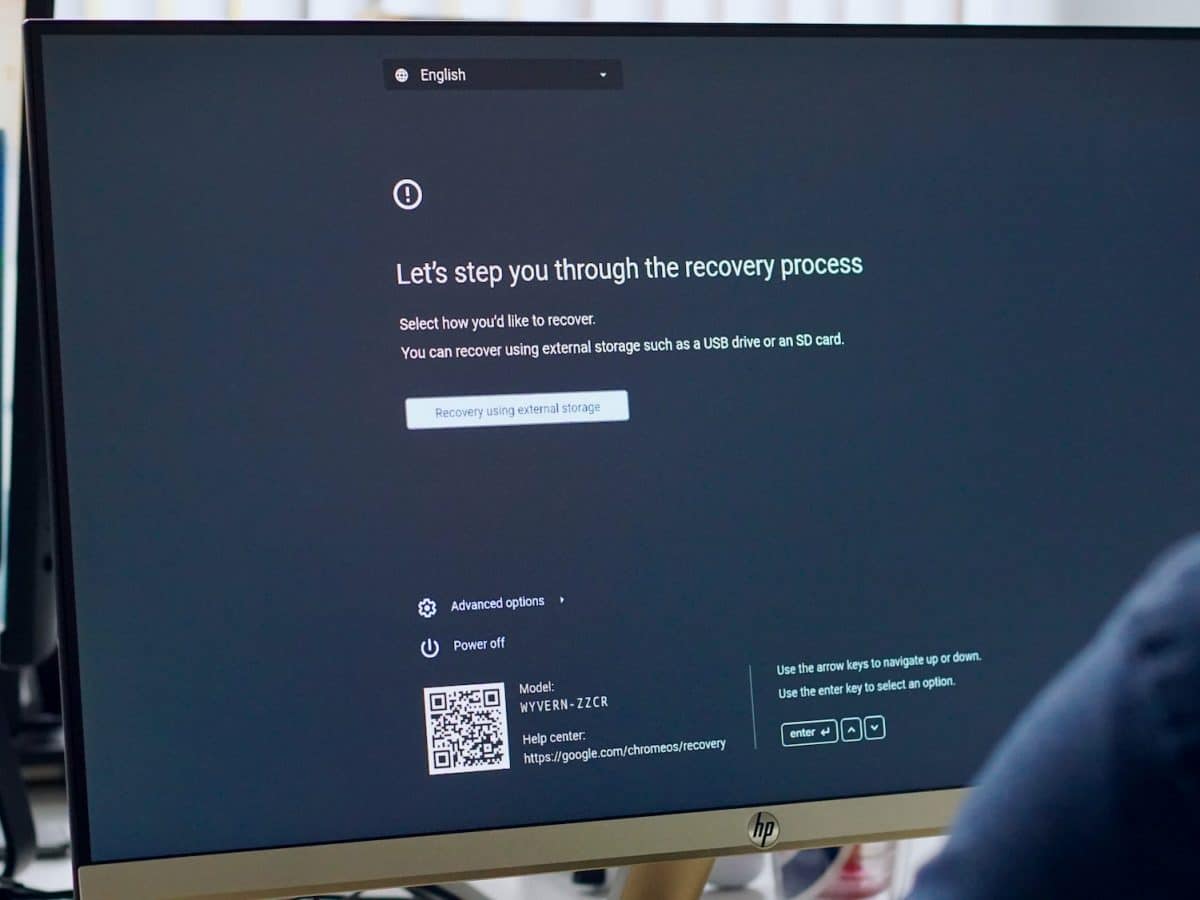
How To Revert a Chrome OS to a previous version
Image Source: chromeunboxed

All you have to do now is enter Recovery Mode on your Chromebook, which is generally a keyboard combination.

Most devices need you to press and hold Esc + Refresh before pressing the power button. When the Chromebook display returns to normal, release the Esc and Refresh buttons. You should be requested to insert the recovery image media that you created in the previous stages.

The earlier version of Chrome OS will be installed if you follow the instructions on the screen. This isn’t something you’d do very often, but it is an option if your Chromebook becomes essentially useless due to a serious Chrome OS Stable Channel fault.

CONCLUSION 

All of your local data will be erased, as with any previous Power Wash or Recovery. Don’t anticipate your data, images, applications, and other items to be restored. Again, this is a worst-case scenario. Also, unless Google has removed it, your Chromebook will most likely continue to download the most recent (current) version of Chrome OS.

That implies that if you restart your Chromebook after the download, it will revert to the problematic version you had before. So keep in mind that if you want to avoid this issue, you’ll need to prevent your Chromebook from restarting.

You may put your Chromebook to sleep by closing the lid. However, when you restart your Chromebook, it will load the most recently downloaded version of Chrome OS. Here is all you need to know about how to revert a Chrome OS to a previous version.

Also Checkout: Creaitor.ai: The New AI Writing Tool

Continue Reading
ShareSendTweet
Previous Post

Protest by Bangalore University students after girl injured in accident on campus

Next Post

Top news of the day: October 10, 2022

Related Posts

7 Conspiracy Theories That You Would Definitely Want To Believe In
Technology

Can You Download Videos From Facebook?

500 million people view millions of videos on Facebook every day. Some Facebook users wish to save their favorite videos...

Read moreDetails
7 Most Futuristic Concept Cars in the World
Technology

7 Most Futuristic Concept Cars in the World

Concept cars are no longer only a showpiece to draw attention to an automotive company. This is true technological brilliance....

Read moreDetails
What Makes GPT-4 Unique From ChatGPT And How Is It Different?
Technology

What Makes GPT-4 Unique From ChatGPT And How Is It Different?

With inception of new versions and other competitive AI chatbots, there arises a question — What makes GPT-4 Unique From...

Read moreDetails
20 Most Amazing And Genius Product Packaging Designs Ever Created
Technology

20 Most Amazing And Genius Product Packaging Designs Ever Created

The majority of our items are packaged in some style. Certain products don't require as much packing because customers will...

Read moreDetails
7 Most Expensive Cars In The World
Listicles

7 Most Expensive Cars In The World

Cars have been defined as a symbol of both luxury and status. While most of us are using our cars...

Read moreDetails
Top Examples Of Interactive Marketing & How Brands Can Make The Most Of It
Business

Top Examples Of Interactive Marketing & How Brands Can Make The Most Of It

In today's fast-paced digital age, companies must continually find new ways to engage with consumers. One increasingly popular approach is...

Read moreDetails
Load More
Next Post
Top news of the day: October 10, 2022

Top news of the day: October 10, 2022

Important Links

  • About
  • Guest Post
  • Privacy Policy
  • Terms
  • Contact Us
  • Newsletter

© 2017-23. The Second Angle. All Rights Reserved. Developed and Managed by SquareBase.io

Welcome Back!

Login to your account below

Forgotten Password?

Retrieve your password

Please enter your username or email address to reset your password.

Log In
No Result
View All Result
  • Infotainment
    • Sports
    • People
    • Inspiring
  • Entertainment
    • Lifestyle
    • Home & Decoration
  • Buzz
  • Education
  • Travel
  • Finance
  • Healthcare
  • Technology

© 2017-23. The Second Angle. All Rights Reserved. Developed and Managed by SquareBase.io

This website uses cookies. By continuing to use this website you are giving consent to cookies being used. Visit our Privacy and Cookie Policy.