SHAREit is the only file-sharing programme that can compete with Apple’s AirDrop. The software shines at sharing things like images, movies, music, contacts, and even programmes. It also claims to have quicker transmission rates than Bluetooth and NFC. In this post, we have compiled a list of the 10 Best Shareit alternatives for Android.
Having said that, SHAREit is frequently chastised for being overburdened with advertisements. Furthermore, Trend Micro discovered severe security holes in the software that attackers may use to steal confidential files and execute remote code execution.
After exploring a plethora of file-sharing apps, we can confidently state that the market is saturated with file-sharing apps. However, not all of them may be used in place of SHAREit on your device. While some programmes are more concerned with providing a uniform experience, others are built to make the bulk transfer as smooth as possible.
 Also readHow To Read And Recover Deleted WhatsApp Messages On Android
And, certainly, there is a slew of programmes designed for lightning-fast file transfers. So, no matter what is at the top of your priority list, chances are that one of these best SHAREit alternatives will be a perfect fit for you. Now that that’s out of the way, let’s go explore them all.
1. Send Anywhere
Choose “Send Anywhere” if you want one of the most capable and efficient SHAREit options. What distinguishes it from many other file transfer applications in my opinion is the option to share original file size, which might be a huge problem for people who don’t want file-sharing apps destroying the quality of their files. Furthermore, unlike SHAREit, it allows you to transmit files anywhere in the globe.
To transmit and receive files, the app provides a 6-digit security key. You may share your files with many individuals by using a secure link (valid for 48 hours). If you want the recipient to be able to view the file without entering the security key, you can send a notice to the targeted device.
Send Anywhere performs admirably in terms of speed. However, unlike SHAREit, it requires a robust internet connection to exchange files – a disadvantage. In terms of user interface and dependability, the former is somewhat superior to the latter. However, bear in mind that the freemium version is restricted, and if you want to go above the constraints, you must pay $5.99/month.
2. Nearby Share
For those who are unaware, Nearby Share is sometimes referred to as Google’s substitute for Airdrop. Google began rolling out Nearby Share for Android phones running Marshmallow and above in August of last year. Because the function is enabled by Google Play Services, it is reasonable to assume that Nearby Share is available on the majority of recent Android phones.

Furthermore, Bluetooth Low Energy, WebRTC, and peer-to-peer WiFi are supported by Nearby Share (WiFi Direct). As a consequence, even if you don’t have access to a Wi-Fi network, you may transfer files. More information on utilising Nearby Share on Android devices may be found in the linked article. Furthermore, you may enable Nearby Share on Chromebooks for quick file transfer.
3. Files By Google
Files by Google is a wonderful alternative to ShareIt for file sharing. This is essentially Google’s file management software, which is available for free on the Play Store. It is ad-free and bloat-free, and it has a number of intriguing features to help clear your storage and organise your files better, but one of its finest features is file sharing.

The programme allows you to share music, documents, movies, and even apps with neighbouring devices without needing to connect to the internet. Furthermore, in my tests, I discovered the file-sharing speed to be rather quick and dependable.
So, Files by Google’s file-sharing features are nice, but the problem with Files by Google is that it is only accessible for Android, so unlike ShareIt, you can’t use it to distribute files to PCs or Apple devices.
4. Snapdrop
Snapdrop, like SHAREit, can compete with Apple’s well-known file-sharing technology – “AirDrop.” What makes it an excellent alternative is the relatively simple method of exchanging data between devices. Furthermore, there are no file size restrictions, allowing you to easily share nearly anything.

The user interface is strikingly similar to that of AirDrop. It also doesn’t require any setting, making for a more straightforward experience. Unlike SHAREit, it requires an Internet connection because it is a web-only programme.
5. Elapp
Elapp is a new file-sharing app with cross-platform functionality and a clean UI. This one allows you to exchange files across Android, iOS, Windows, and macOS. A Wi-Fi connection, however, is necessary for the file transfer to take place.

The device recognition was flawless, and I had no trouble using Elapp to swiftly transfer data between devices running various operating systems. However, one drawback of Elapp is that you cannot transfer anything greater than 100MB, so if you need to send huge files, you should look into alternative possibilities.
6. Nearby Sharing in Windows
Last year, Microsoft was forced to implement (April 2018 update) a native file-sharing capability due to popular demand. In terms of functionality, it is similar to AirDrop, which has long been one of macOS’s best features. And, sure, it competes with SHAREit. So, if you’re utilising a Windows device and seeking a file-sharing service that works flawlessly, don’t go any further than this one.
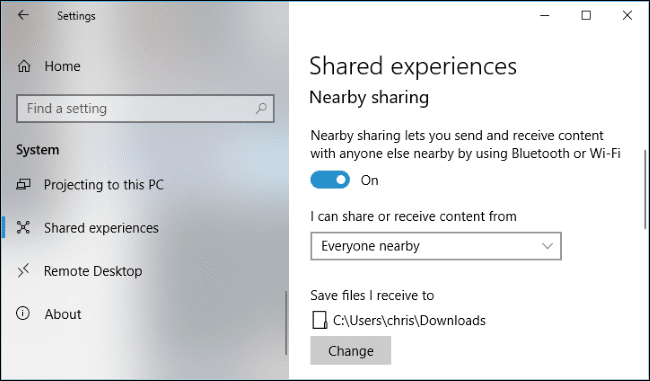
If you haven’t used this feature yet, go to Settings -> System -> Shared Experiences and then click on the toggle directly underneath the “Nearby Sharing” option.
7. Instashare
“Instashare” has long been one of my favourite cross-platform file-sharing tools, owing to its versatility and smooth performance. And because of these two distinguishing traits, I believe it is deserving of consideration as a viable alternative to SHAREit. It makes file sharing a piece of cake.
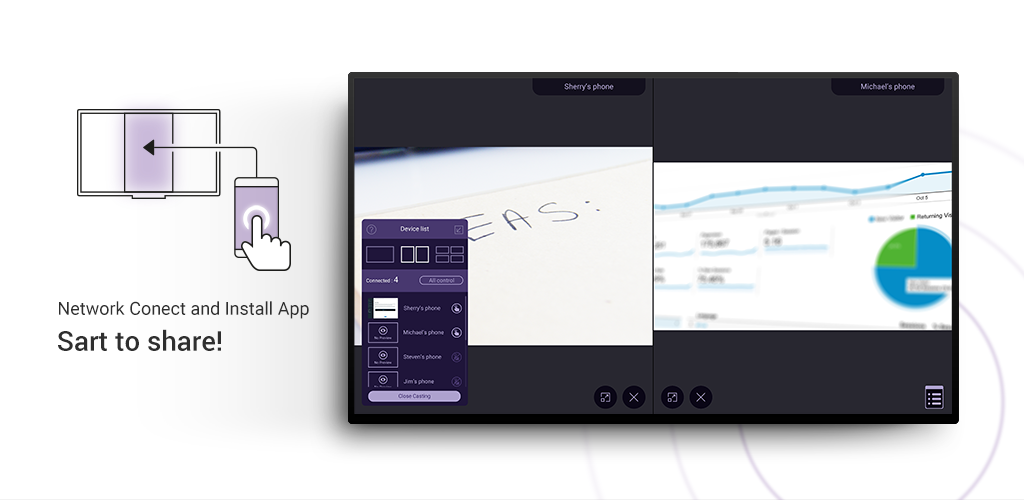
All you need to do is click the share button on a file and pick Instashare. Following that, the app will automatically display the available devices and allow you to select the one with which you want to share your file. Once you’ve done that, you’re ready to go.
Instashare, like SHAREit, supports all file formats, so you may send and receive files without any problems.
8. Filedrop
“Filedrop” is a viable alternative to SHAREit. With this programme, you can exchange files via Wi-Fi with just a couple of touches. You may share as much as you like because there are no file size restrictions. And, based on my observations throughout extensive testing, it is capable of doing the prescribed work consistently.
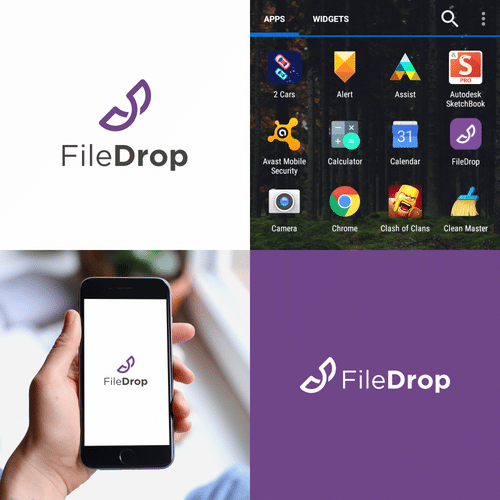
Though it lacks the visually appealing UI of its predecessor, it performs just as well. Unlike SHAREit, it does not appear to be buggy and operates seamlessly across all devices. Because there isn’t much to configure, you’ll be able to grasp it quickly without having to go through a lengthy learning curve.
9. Zapya
Do you frequently need to mass transfer huge files and find SHAREit unable to handle your high demand? If so, “Zapya” is a better fit for your requirements. Using the quick and secure QR code sharing mechanism, you may use this programme to send videos, photographs, music, applications, and many other data at the required speed.

Zapya, like SHAREit, is intended for cross-platform sharing. So, whether you want to move data from your Mac to a Windows device or let your Android smartphone play nicely with your iPhone (in terms of file sharing), it can deliver flawlessly.
Also check out: How To Read And Recover Deleted WhatsApp Messages On Android