

• About   |
  • Submit Guest Post |
  • Contact Us
No Result
View All Result
The Second Angle (TSA Magazine)
Advertise
  • Infotainment
    • Sports
    • People
    • Inspiring
  • Entertainment
    • Lifestyle
    • Home & Decoration
  • Buzz
  • Education
  • Travel
  • Finance
  • Healthcare
  • Technology
The Second Angle
No Result
View All Result
  • Infotainment
  • Entertainment
  • Buzz
  • Education
  • Travel
  • Finance
  • Healthcare
  • Technology
Advertisement
ADVERTISEMENT
Home Technology

How To Share Files From Android To iPhone Immediately

Everyone appears to have taken sides when it comes to using the Android or iOS platforms, yet living in a multi-platform environment means we occasionally need to share files. Here’s how to share files from android to iphone.

by TSA Desk
June 8, 2023
in Technology
Reading Time: 3 mins read
How To Share Files From Android To iPhone Immediately

Tom's Guide

Share on FacebookShare on WhatsApp
Advertisement Advertisement Advertisement
ADVERTISEMENT

Do you want to know how to share files from Android to iPhone? AirDrop, as most Apple users are aware, is a fantastic function that allows you to transmit files and photographs across iPhones, iPads, and Macs via Bluetooth. In this post, you will see how to share files from Android to iPhone.

Today’s mobile phone market share is dominated by Android and iPhone. People routinely go from one platform to another, and while this is their decision, the change might pose problems for the user because the devices are not designed to share files.

Unfortunately, that’s where the simple part ends: you can’t use AirDrop to send files from an Apple device to an Android smartphone, for example, or vice versa.

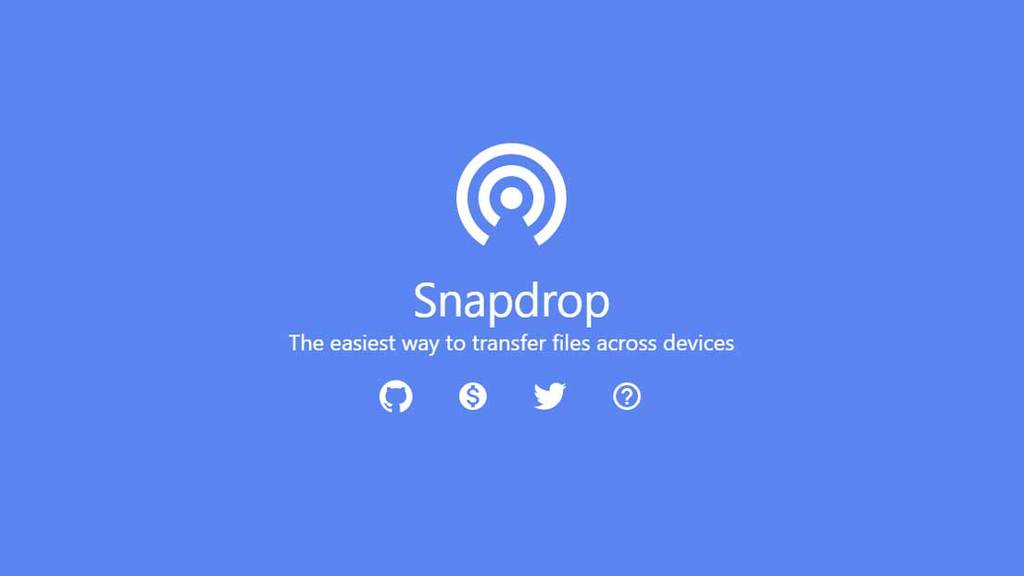
Instead, you can use Snapdrop, a free third-party service that works with Chrome, Firefox, Opera, and Safari on both desktop and mobile browsers (there is also a Snapdrop app for Android). Once you’ve logged in, you can quickly exchange files, photos, and movies between any device, including Windows and Linux PCs, without having to sign in.


RelatedPosts

7 Conspiracy Theories That You Would Definitely Want To Believe In

Can You Download Videos From Facebook?

7 Most Futuristic Concept Cars in the World

7 Most Futuristic Concept Cars in the World

Snapdrop is one of the best apps since it isn’t bloated with needless features. There’s an option to go to dark mode, but other than that, it’s all about transferring files from one device to another.
How to Share Files from Android to iPhone Immediately
Image Source: bounce color
Table of Contents
  • How to share files from Android to iPhone using Snapdrop-

How to share files from Android to iPhone using Snapdrop-

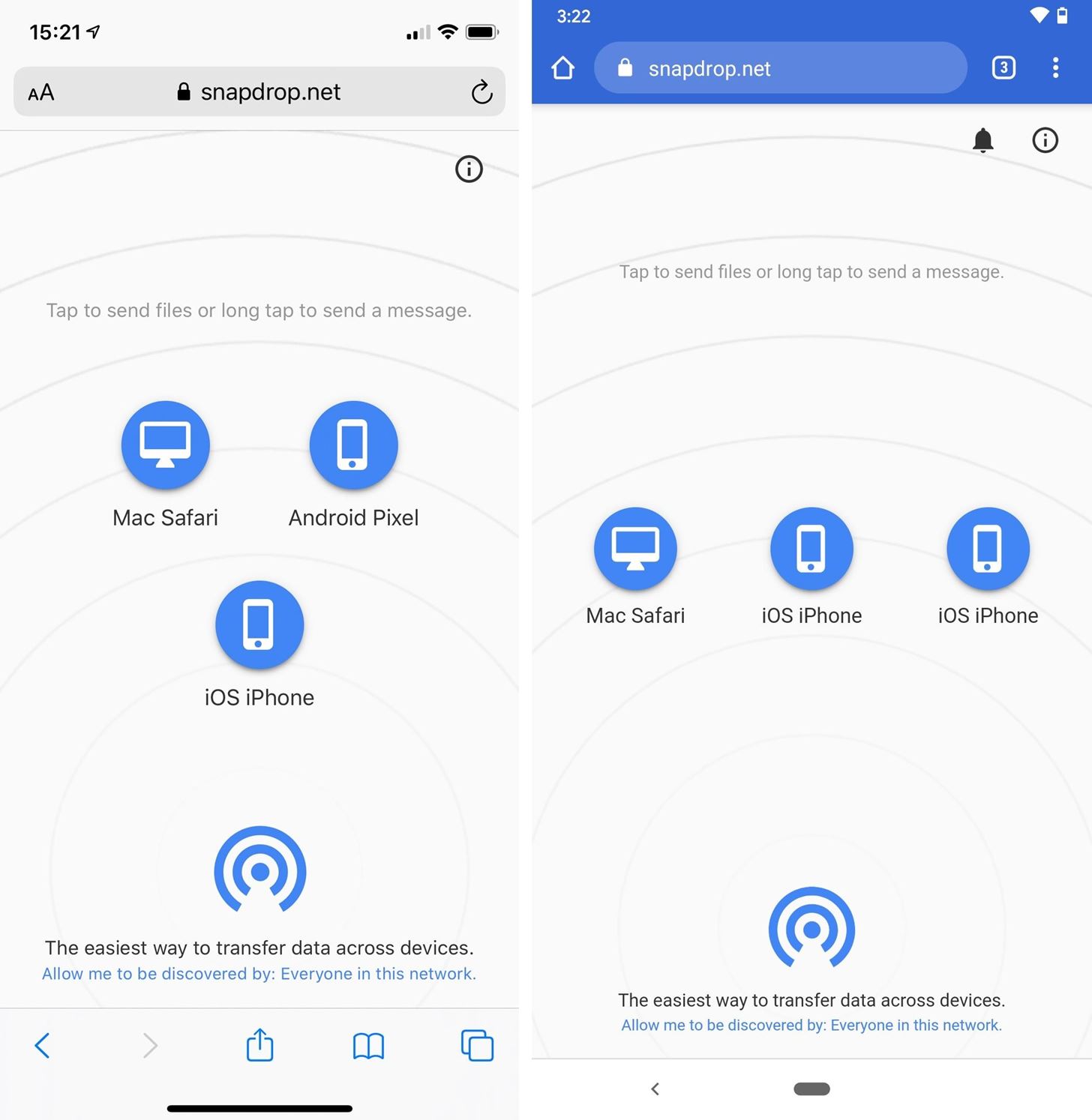
  • To begin, take hold of the Android smartphone that contains the files you wish to transfer. Make sure it’s connected to a Wi-Fi network and that you’re using a mobile web browser like Chrome. Visit https://snapdrop.net now.
  • Take note of the name provided to your device as soon as the Snapdrop page loads. Our Android device is called Han More in our situation. Snapdrop’s allocated names merely serve to identify the devices with whom you’ll be sharing files.
  • Take out the iPhone you’d like to utilize to receive a file. Ensure that both devices are connected to the same Wi-Fi network. Go to https://snapdrop.net via a mobile browser like Safari once more. This device will also be given a name — Kent Ash is the name given to our iPhone.
  • It’s now time to send a file. The name of the other device should be displayed on each device, showing that a connection has been established. Tap the name of the device with which you want to share the file on the device that has the file. So we’re tapping Kent Ash on our Android phone.
  • You’ll now have a few options to choose from. You’ll see some minor variances here depending on the device you’re sending files from. However, you can browse existing files or take a new snapshot or video in general. Tap Files to browse your device on Android, then search for and choose the file you wish to share. Otherwise, tap Camera to snap a photo or “Camera Video” to record a video, then tap the blue tick to indicate your satisfaction with the image or video.
  • Tap Choose Files on your iPhone to browse your device, then find and select the file you wish to share. To take a new image or video, press “Take Photo or Video” and then “Use Photo.” Snapdrop for iPhone also features a “Photo Library” option that allows you to easily browse your stored photographs. Tap Add after selecting a picture to send.
How to Share Files from Android to iPhone Immediately
Image Source: smartphones. gadget hacks

The file you choose (or the photo or video you just took) will be transmitted to the other device in an instant. You may now save it by tapping Save. If you make a mistake, tap Ignore. Uncheck the box next to “Ask to save each file before downloading” to skip this step and have a file download right away.

Also Checkout: 8 Best Android Launchers You Should Try

Continue Reading
ShareSendTweet
Previous Post

Knife attacker injures several people, including children, in French Alpine town

Next Post

How Syscoin’s Community is Driving the Platform’s Development and Growth

Related Posts

7 Conspiracy Theories That You Would Definitely Want To Believe In
Technology

Can You Download Videos From Facebook?

500 million people view millions of videos on Facebook every day. Some Facebook users wish to save their favorite videos...

Read moreDetails
7 Most Futuristic Concept Cars in the World
Technology

7 Most Futuristic Concept Cars in the World

Concept cars are no longer only a showpiece to draw attention to an automotive company. This is true technological brilliance....

Read moreDetails
What Makes GPT-4 Unique From ChatGPT And How Is It Different?
Technology

What Makes GPT-4 Unique From ChatGPT And How Is It Different?

With inception of new versions and other competitive AI chatbots, there arises a question — What makes GPT-4 Unique From...

Read moreDetails
20 Most Amazing And Genius Product Packaging Designs Ever Created
Technology

20 Most Amazing And Genius Product Packaging Designs Ever Created

The majority of our items are packaged in some style. Certain products don't require as much packing because customers will...

Read moreDetails
7 Most Expensive Cars In The World
Listicles

7 Most Expensive Cars In The World

Cars have been defined as a symbol of both luxury and status. While most of us are using our cars...

Read moreDetails
Top Examples Of Interactive Marketing & How Brands Can Make The Most Of It
Business

Top Examples Of Interactive Marketing & How Brands Can Make The Most Of It

In today's fast-paced digital age, companies must continually find new ways to engage with consumers. One increasingly popular approach is...

Read moreDetails
Load More
Next Post
How Syscoin's Community is Driving the Platform's Development and Growth

How Syscoin's Community is Driving the Platform's Development and Growth

Important Links

  • About
  • Guest Post
  • Privacy Policy
  • Terms
  • Contact Us
  • Newsletter

© 2017-23. The Second Angle. All Rights Reserved. Developed and Managed by SquareBase.io

Welcome Back!

Login to your account below

Forgotten Password?

Retrieve your password

Please enter your username or email address to reset your password.

Log In
No Result
View All Result
  • Infotainment
    • Sports
    • People
    • Inspiring
  • Entertainment
    • Lifestyle
    • Home & Decoration
  • Buzz
  • Education
  • Travel
  • Finance
  • Healthcare
  • Technology

© 2017-23. The Second Angle. All Rights Reserved. Developed and Managed by SquareBase.io

This website uses cookies. By continuing to use this website you are giving consent to cookies being used. Visit our Privacy and Cookie Policy.