




Windows is the most widely used operating system. It’s also a popular hacking target. As a result, most malware is designed exclusively for PCs. It’s done with the goal of affecting the largest number of people possible, and it’s concerning. In this post, we have compiled a list of the best antivirus software for Windows 10.
While Windows Defender is included with Windows 10 and 11, it may not always be up to date with the most recent viruses. That’s why using a specialized third-party antivirus supplier makes sense. This will help you stay safe and close any security gaps in your system.
Let’s dive into the list of the Best Antivirus Software for Windows 10-
1. Kaspersky Anti-Virus
Many of you won’t get the extra bells and whistles that come with more pricey protection suites with Kaspersky Anti-Virus. There are no parental restrictions, a password manager with only 15 entries, and a VPN service with a daily bandwidth cap of 300MB. (You may upgrade to get infinite versions of them for an additional fee.)
 Also readWindows 11 To Get Support For Third-Party Widgets Just Like Windows Vista
However, Kaspersky Anti-Virus includes everything you need, including specific ransomware protection, a phishing email filter, browser extensions to improve web security, and a security scanner for your home Wi-Fi network.
2.Bitdefender Antivirus Plus
Bitdefender is largely regarded as one of the greatest antivirus software companies. It draws in the crowds with its free version and outperforms the competition with its premium version. So, no matter what your budget is, Bitdefender will be a good fit.
This antivirus brings a pistol to a knife battle in terms of protection. Real-time protection, advanced threat defense, web attack prevention, and anti-phishing filters are all part of the package. This is a complete package that will keep you safe even if you have a tendency of visiting links on dubious websites.
3. Norton AntiVirus Plus
For $60 per year, Norton AntiVirus Plus covers one PC or Mac, but it also includes a two-way firewall, an unlimited password manager, backup software, and 2GB of online storage.
Norton 360 Standard, the next rung up, adds an unlimited VPN, camera protection, dark-web scanning for your personal information, and 10GB of online storage, putting you in the internet-security-suite territory.
On the plus side, Norton’s malware detection and removal record is second only to Kaspersky’s. You could do a lot worse if you don’t mind paying a premium for an entry-level antivirus package, or if you were intending to pay for a VPN or password manager separately.
4. Avira Antivirus
Avira is a lightweight antivirus program that fights like a heavyweight champion. It is available to users both for free and for a fee. Avira will adjust to your preferences if you wish to test a service before purchasing it.
The business can also brag about its malware detection rates, which have won many honors. They have a near-perfect track record: in the months of February and March of 2020, it prevented 100% of the test samples. Hackers were particularly active during the quarantine months when most people were confined to their houses.
5.ESET NOD32 Antivirus
ESET NOD32 Antivirus is akin to a street-racing hot rod: it’s light, inexpensive, quick, and effective, but it’s missing a few extra bells and whistles. It has the smallest impact on the system performance of any paid antivirus program we’ve tested, it zaps malware like no other, and it has a unique per-device pricing structure that assures you don’t overpay.

The other functions of ESET are hidden beneath the hood. It looks for hidden malware in a PC’s start-up sector, operating memory, and Registry, as well as blocking known harmful URLs. But if you’re looking for user-friendly goodies like a password manager, VPN, or firewall, you’d better look elsewhere.
6.TotalAV
TotalAV competes with antivirus market leaders to deliver high-quality protection against a wide range of digital threats. You don’t even have to become a paying user to use its most basic version; it’s completely free. Meanwhile, premium customers receive a comprehensive suite that improves overall security.
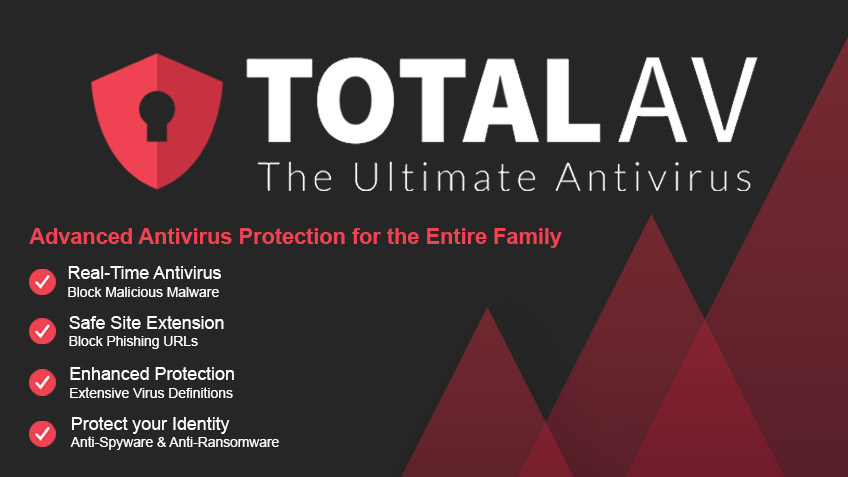
It can defend against ransomware and phishing emails, among other risks. Your device is continually being monitored for new threats by the tool. While it may appear that it will consume all of your system’s resources, you shouldn’t be concerned. The effect on performance is negligible. The background scans will be almost imperceptible to you.
7.McAfee Total Protection
McAfee earned a terrible reputation throughout its years of collaboration with Intel. It was even dubbed bloatware, and it was universally despised by Windows users. In 2021, it’s still one of the top antivirus services for Windows PCs.
McAfee can defend you from ransomware, crypto-jacking, and malware with confidence. Its real-time protection is always turned on, and it keeps track of everything you do on your device. McAfee will protect you whether you’re surfing the web or inserting a thumb drive that was given to you by someone else.
Conclusion
Windows Defender is already included in Windows 10. It’s an antivirus that’s pre-installed on your computer. Microsoft is attempting to keep you safe by updating it on a regular basis. Even though it’s built into the operating system, it’s a full-featured antivirus program. As a result, if you’re on Windows and already have one, you won’t be able to turn it off for security reasons.
It’s entirely up to you whether you want to use a third-party security solution instead of Windows Defender. Third-party antivirus companies typically respond to attacks faster and give a slew of extra capabilities. As a result, if you want the best security, you need to pay for a third-party antivirus service.
Also check out: Windows 11 To Get Support For Third-Party Widgets Just Like Windows Vista








