



UPI Lite is a small on-device balance for quick UPI payments without entering a UPI PIN. As of October 2026, the limit is Rs 1,000 per payment and Rs 5,000 as the maximum balance, under RBI’s December 2024 decision and NPCI’s 2025 circular. Google Pay also lists a Rs 10,000 total spend cap within 24 hours.
UPI Lite was launched by the National Payments Corporation of India (NPCI) in September 2022 for low-value payments like tea, auto fares and groceries. This explainer covers the current limits, how to turn it on in popular apps, auto top-up, UPI Lite X and what to do if your phone is lost.
- What is UPI Lite and how is it different from normal UPI?
- What is the UPI Lite limit in 2026?
- How to enable UPI Lite in BHIM, PhonePe, Google Pay and Paytm
- How to pay using UPI Lite
- How UPI Lite auto top-up works
- What is UPI Lite X?
- Can you withdraw money from UPI Lite?
- UPI Lite pros and cons
- What happens if you lose your phone with UPI Lite active?
- Frequently asked questions
What is UPI Lite and how is it different from normal UPI?
With regular UPI, every payment goes to your bank, and you enter your UPI PIN each time. With UPI Lite, you first load money into a Lite balance linked to your bank account. Small payments are then made from this balance without a PIN.
 Also readHow to Activate eSIM in Jio, Airtel and Vi: Step-by-Step Guide
Because these payments do not hit your bank’s core system each time, they are less affected by bank server slowdowns. They also do not fill your bank passbook with dozens of small entries. Your bank shows only the amount loaded into UPI Lite.
NPCI describes the Lite balance as similar to cash in your wallet. Anyone who gets into your phone can spend it, which is why the limits are kept low. If you are new to UPI itself, read our explainer on what UPI is and how it works.
What is the UPI Lite limit in 2026?
The limits were raised in two steps. In December 2024, the Reserve Bank of India (RBI) announced higher caps, and NPCI issued an addendum circular on 27 February 2025 asking banks and apps to apply them.
| Limit | Current (October 2026) | Earlier |
|---|---|---|
| Per payment | Rs 1,000 | Rs 500 |
| Maximum balance at any time | Rs 5,000 | Rs 2,000 |
| Total spend in 24 hours | Rs 10,000 (as listed by Google Pay) | Varied by app |
| Auto top-ups per day | Up to 5 | Feature started November 2024 |
| UPI PIN needed for payment | No | No |
| UPI PIN needed to load money | Yes | Yes |
Two points to note. First, the daily spend figure comes from app and issuer terms. Google Pay’s help page lists Rs 10,000 in 24 hours, and OneCard’s UPI Lite terms state the same cumulative cap. Google Pay’s own FAQ also mentions a different figure, so check the limit shown inside your app. Second, NPCI can change these limits, and its terms say so.
If you want to pay more than Rs 1,000 in one go, the app simply uses normal UPI with your PIN.
How to enable UPI Lite in BHIM, PhonePe, Google Pay and Paytm
The basic process is the same in every app: choose UPI Lite, pick a bank account, add money and confirm with your UPI PIN. Your bank must support UPI Lite. Menu names can change after app updates, so look for “UPI Lite” in the profile or payment settings section if you do not see the exact option below.
Google Pay
- Open Google Pay and tap your profile picture at the top right.
- Tap Pay PIN-free UPI Lite.
- Enter the amount to load, up to Rs 5,000.
- Enter your UPI PIN to finish.
Google Pay allows only one UPI Lite account per app.
PhonePe
- Tap the UPI Lite option on the home screen, or go to your profile picture and choose UPI Lite under Payment Methods.
- Tap to add funds and enter the amount.
- Select the bank account to link.
- Confirm and enter your UPI PIN.
BHIM
- Open the BHIM app and log in. Link a bank account if you have not done so.
- Select UPI Lite from the home screen and read the details.
- Choose a bank account and enter the amount to add.
- Enter your UPI PIN to activate the Lite balance.
Paytm
- Open the Paytm app and look for UPI Lite in the UPI or profile section.
- Select your bank account and the amount to load.
- Confirm with your UPI PIN.
Paytm’s main UPI page did not list UPI Lite steps when we checked in October 2026, so follow the in-app prompts.

How to pay using UPI Lite
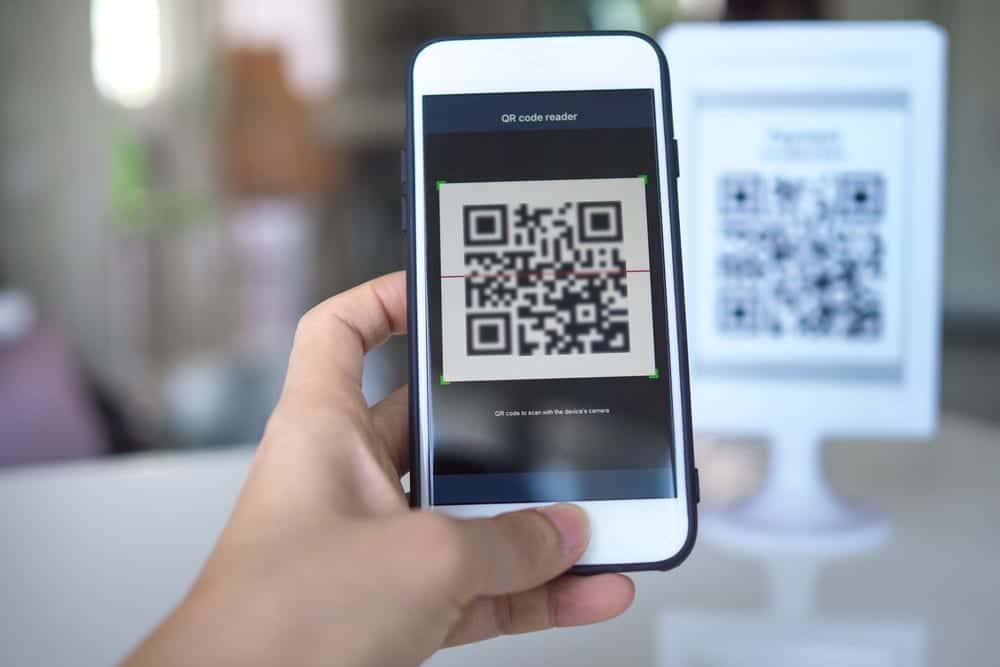
- Scan the merchant’s QR code or pick a contact as usual.
- Enter an amount up to Rs 1,000.
- Choose UPI Lite as the payment source if the app does not select it automatically.
- The payment goes through without a UPI PIN. Your phone’s own lock (fingerprint, face or pattern) protects the app.
How UPI Lite auto top-up works
Auto top-up came into effect on 1 November 2024. You set a minimum balance and a top-up amount. When your Lite balance drops below that level, the app moves the set amount from your bank account automatically.
- Top-ups are capped at five per day.
- The balance after a top-up cannot cross Rs 5,000.
- You approve it once as a mandate with your UPI PIN, and you can change or cancel it any time.
On Google Pay, tap the UPI Lite chip, enter the amount to add, tap Continue with Autopay and enter your UPI PIN. Other apps show a similar auto top-up switch in the UPI Lite section. If you like setting money tasks on autopilot, our guide on automating your savings account covers more options.
What is UPI Lite X?
UPI Lite X is an offline version of UPI Lite. NPCI announced it at the Global Fintech Fest on 6 September 2023. It lets users send and receive money without an internet connection, using NFC (Near Field Communication) between two phones held close together.
NPCI pitched it for places with weak signal, such as underground metro stations. It works only on phones with NFC, and both the app and bank must support it. Availability across apps is limited, so check if your UPI app shows an offline or Lite X option before relying on it.
Can you withdraw money from UPI Lite?
Yes. Under NPCI’s 2025 changes, banks had to allow users to move the Lite balance back to the source bank account without closing the wallet. Banks were given time until 31 March 2025 to implement this.
You can also disable UPI Lite. On Google Pay, tap your profile picture, then UPI Lite, then the three dots, and choose Delete UPI Lite. The remaining balance returns to the linked bank account.
NPCI also told banks to refund balances in UPI Lite accounts with no transactions for six months, with a deadline of 30 June 2025 for existing dormant accounts.
UPI Lite pros and cons
Pros
- Fast checkout without typing a PIN for each small payment.
- Fewer failures during peak hours, since payments do not depend on bank servers each time.
- A cleaner bank statement, with only top-up entries.
- Auto top-up keeps the balance ready for daily spends.
Cons
- Anyone who gets into your phone can spend the balance without a PIN.
- The Rs 1,000 per-payment cap means larger bills need regular UPI.
- Not every bank or app supports every Lite feature, including Lite X.
- Money parked in Lite earns no interest, unlike your savings account.
What happens if you lose your phone with UPI Lite active?
Treat it like losing cash. NPCI’s UPI Lite page says the balance does not move to a new device on its own, and you can ask your bank for a refund to your account, subject to the bank’s checks.
- Block your SIM with your operator and block the handset through CEIR. Our guide on blocking a lost phone on Sanchar Saathi explains how.
- Contact your bank and ask for UPI and UPI Lite to be blocked, and for the Lite balance to be refunded.
- If you get the same number on a new phone, log in to your UPI app. Google Pay’s help page says the balance stays intact if you keep the same number on the new device, and you can deregister UPI Lite to send the money back to your bank.
- Google Pay says refunds through the bank can take up to 10 business days.
When changing phones normally, NPCI advises disabling UPI Lite on the old phone first so the balance returns to your bank, then enabling it on the new one. Do the same before changing the mobile number linked to UPI.
Frequently asked questions
What is the UPI Lite limit per transaction?
Rs 1,000 per payment, as of October 2026. This was raised from Rs 500 after RBI’s December 2024 decision and NPCI’s February 2025 circular.
What is the maximum UPI Lite wallet balance?
Rs 5,000 at any point. Auto top-up cannot push the balance above this cap.
Do I need a UPI PIN for UPI Lite payments?
No PIN is needed to pay from the Lite balance. You need your UPI PIN to load money into it and to set up auto top-up.
Does UPI Lite work without internet?
Standard UPI Lite payments need internet on your phone. UPI Lite X allows offline payments over NFC, but only on supported phones, apps and banks.
Is UPI Lite safe?
It is as safe as cash kept in a wallet. Keep a strong screen lock, keep the balance modest and disable UPI Lite or contact your bank immediately if the phone is lost.
Sources: Google Pay UPI Lite help, NPCI UPI Lite overview, NPCI press release on UPI Lite X, Outlook Money on 2025 UPI Lite changes.








