• About   |
  • Advertise |
  • Contact Us
No Result
View All Result
The Second Angle (TSA Magazine)
Advertise
  • Infotainment
    • Sports
    • People
    • Inspiring
  • Entertainment
    • Lifestyle
    • Home & Decoration
  • Buzz
  • Education
  • Travel
  • Finance
  • Healthcare
  • Technology
The Second Angle
No Result
View All Result
  • Infotainment
  • Entertainment
  • Buzz
  • Education
  • Travel
  • Finance
  • Healthcare
  • Technology
Advertisement Advertisement Advertisement
ADVERTISEMENT
Home Technology

Easy Way To Download Facebook Reels Video In Gallery

by TSA Desk
November 16, 2022
in Technology, Offbeat
Reading Time: 5 mins read
Easy Way To Download Facebook Reels Video In Gallery
Share on FacebookShare on WhatsApp
Advertisement Advertisement Advertisement
ADVERTISEMENT
5 min readGAdd The Second Angle as a preferred source on Google
Key takeaways
Facebook can be simply known as a friends book where the finding of existing and new friends are made virtually.Facebook reels are short versions or clips of video that includes music, audio, various effects and a lot more options.Luckily, we have described in detail an easy way to download Facebook reels video in the gallery.

Facebook can be simply known as a friends book where the finding of existing and new friends are made virtually. Over a period of years, many changes were made on Facebook, it is obvious that those upgrading of the features were worthy and interesting too. Here’s come the Facebook reel video that again attracted the users. 

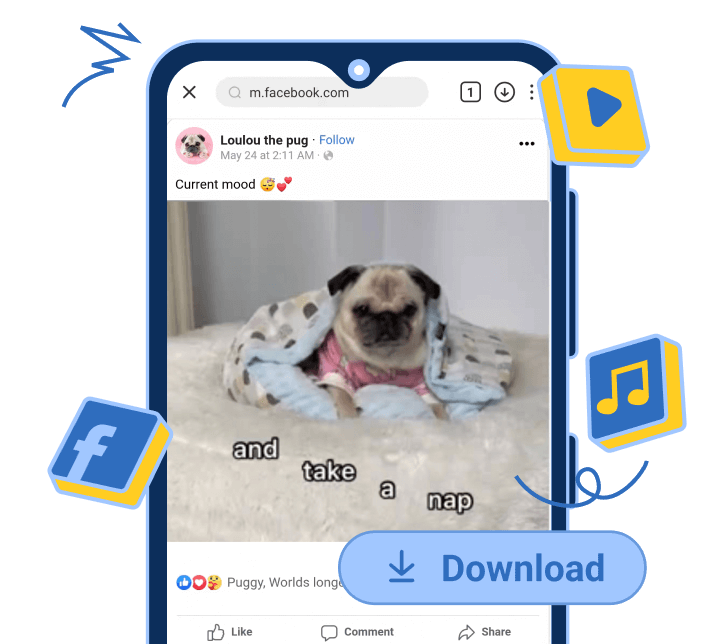
Facebook reels are short versions or clips of video that includes music, audio, various effects and a lot more options. Anyone can make it for entertainment purposes or for commercial purposes to advertise products and services. It works according to the type of audience who are watching or searching for any particular content on Facebook that its algorithm suggests accordingly. But unfortunately, those reels cannot be downloaded either on a PC or on a phone. So, how to save facebook videos to phone gallery?

Luckily, we have described in detail an easy way to download Facebook reels video in the gallery. Stay tuned.  

10 Best Laptops For ProgrammingAlso read10 Best Laptops For Programming
Easy Way To Download Facebook Reels Video In Gallery

Part 1: What is the Best Way to Download Facebook Videos in Gallery

Part 2: Steps To Save Facebook Video To Gallery

Part 3: Frequently Asked Questions (FAQs)

Table of Contents
  • What is the Best Way to  Download Facebook Videos in Gallery?
  • How to Download Facebook Videos in Gallery
  • Frequently Asked Questions (FAQs)

What is the Best Way to  Download Facebook Videos in Gallery?

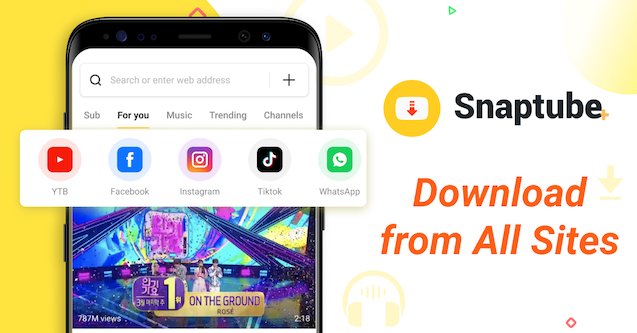
Many times we watch some videos on Facebook on repeat because we might find them interesting or useful, so why not download them for any time watching? There is an amazing app you can use to save Facebook videos in a gallery and it’s none other than Snaptube Facebook downloader. It is one the best applications which is easy and simple to use. It lets you download videos, music, songs, and photos from different social sharing platforms including the Facebook. Its insane feature is that more than 50 sites are being supported under this app, Snaptube. You can download the content unlimitedly within a few minutes. Not only this it is absolutely free to use, there is no time bound in using the app. 
Easy Way To Download Facebook Reels Video In Gallery

How to Download Facebook Videos in Gallery

Follow these steps below to download FB videos with the Snaptube app:

Step 1: Install the Snaptube Facebook video downloader app from its official site, this will lead to a .apk file. Allow the device to install the app from unknown resources by going to the phone’s security settings.

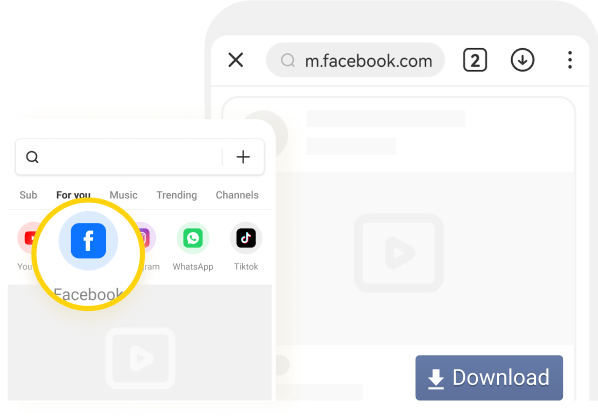
Step 2: Launch the app on your phone after the installation. Click on it and log in to Facebook within this app. Then you can look for any video on Facebook or else click on the share icon and copy the link, paste it into the search box of Snaptube this will open the actual video which you want to download.
Easy Way To Download Facebook Reels Video In Gallery

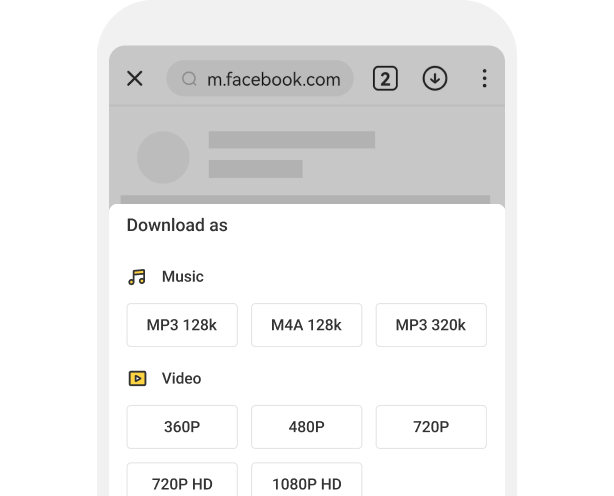
Step 3: Download the video by clicking on the ‘Download’ icon. It brings various resolution options to choose within. Finally, the facebook video downloads in Gallery. 
Easy Way To Download Facebook Reels Video In Gallery

You might be wondering what can it do in downloading Facebook videos, here’s the answer:

  • It provides you with the options of different resolutions up to 1080p HD and formats of MP3, MP4 and M4A.
  • You do not need to create an account to use Snaptube for downloading Facebook videos to the phone Gallery.
  • This app helps you download facebook stories, reels, music, photos as well as live videos.
  • You can also use other apps like Instagram, Dailymotion, Youtube and many more within Snaptube.
  • It does not take a long time or does not lag while downloading videos, just you need to have a powerful internet connection.

Now you can instantly and easily download any Facebook reel video and get it saved in your gallery. Recollect the moment of Facebook reels whenever and wherever you want with Snaptube, one of the best video and music downloading apps. So, come and try to use Snaptube to download Facebook reels!

Frequently Asked Questions (FAQs)

Q: Does Facebook video downloader app support Android 2.0?

A: Yes, it does support Android 2.0 and even higher versions of it.

Q: Does Facebook video downloader app work on iPhone?

A: In recent times it does not work on iPhone, it is only supported on Android, in the future, Snaptube might look forward to this query. Instead, you can try an online tool like FBvideodown. 

Q: Is Snaptube worth using?

A: Definitely it is beneficial to use. Over 1000M loyal users are appreciating it because of its multiple features that work on various online social media platforms. The best thing is that the functions you use on Snaptube are completely free. 

Q: Where can I locate downloaded Facebook videos on my phone?

A: All the downloaded Facebook videos and music are saved on your phone’s internal storage as well as the Gallery app. 

Q: Can I download videos from Facebook groups?

A: Yes, you can. Open the Facebook group >> copy the link of that video >> paste it on Snaptube’s search box >> the video will open >> there comes the download option >> click on it.


Enjoyed this story?Share it with your friends
WhatsAppLinkedInXFacebookEmail
See more TSA Mag stories on GoogleAdd us as a preferred source and our stories will show up more often in your Top Stories.
GAdd The Second Angle as a preferred source on Google
ShareSend
Tweet
Previous Post

War causing immense human suffering: G20 declaration

Next Post

India’s G20 presidency will be inclusive, action-oriented: PM Modi

Related Posts

Person checking a laptop screen for signs that their email address was exposed in a data breach
Technology

How to Check If Your Email Was in a Data Breach (2026 Guide)

How to check if your email was in a data breach using Have I Been Pwned, Google, Apple and Mozilla...

Read moreDetails
Customer scanning a UPI QR code with a smartphone to make a small payment
Technology

What Is UPI Lite Limit in 2026? Wallet, Payment Caps and Setup

What is UPI Lite limit in 2026: Rs 1,000 per payment and Rs 5,000 balance. How to enable it, auto...

Read moreDetails
Smartphone showing mobile network settings used to add an eSIM in India
Technology

How to Activate eSIM in Jio, Airtel and Vi: Step-by-Step Guide

How to activate eSIM in Jio, Airtel and Vi: check phone support, follow official app steps, know the charges, switch...

Read moreDetails
10 Best Free Productivity Apps in 2026 and What Each Plan Offers
Technology

10 Best Free Productivity Apps in 2026 and What Each Plan Offers

The best free productivity apps in 2026, including Notion, Todoist, Trello and Obsidian, with free plan limits checked on each...

Read moreDetails
A man in Bengaluru looking at his smartphone
Technology

DigiLocker Guide: How to Use It and Which Documents Are Valid

A simple DigiLocker guide for India: how to sign up, fetch your PAN, driving licence and marksheets, share them safely,...

Read moreDetails
A young person using a mobile phone
Technology

How to Block a Lost or Stolen Phone on Sanchar Saathi (CEIR)

Lost your mobile? Here is how to block a lost phone on Sanchar Saathi using CEIR, the documents you need,...

Read moreDetails
Load More
Next Post
India’s G20 presidency will be inclusive, action-oriented: PM Modi

India’s G20 presidency will be inclusive, action-oriented: PM Modi

About

The Second Angle

The Second Angle (TSA Mag) is an infotainment and lifestyle magazine covering entertainment, travel, technology, health, education and finance.

Important Links

  • About The Second Angle
  • Advertise With Us
  • Editorial Policy
  • Privacy Policy
  • Terms and Conditions
  • Contact Us
  • Careers
  • Newsletter

Explore

  • Infotainment
  • Entertainment
  • Buzz
  • Education
  • Travel
  • Finance
  • Healthcare
  • Technology
Advertise with us

© 2017-2026. The Second Angle. All Rights Reserved. Developed and Managed by Squarebase.io

Welcome Back!

Login to your account below

Forgotten Password?

Retrieve your password

Please enter your username or email address to reset your password.

Log In
No Result
View All Result
  • Infotainment
    • Sports
    • People
    • Inspiring
  • Entertainment
    • Lifestyle
    • Home & Decoration
  • Buzz
  • Education
  • Travel
  • Finance
  • Healthcare
  • Technology

© 2017-2026. The Second Angle. All Rights Reserved. Developed and Managed by Squarebase.io

We use cookies to keep TSA fast and relevant. Read our Privacy Policy.