• About   |
  • Advertise |
  • Contact Us
No Result
View All Result
The Second Angle (TSA Magazine)
Advertise
  • Infotainment
    • Sports
    • People
    • Inspiring
  • Entertainment
    • Lifestyle
    • Home & Decoration
  • Buzz
  • Education
  • Travel
  • Finance
  • Healthcare
  • Technology
The Second Angle
No Result
View All Result
  • Infotainment
  • Entertainment
  • Buzz
  • Education
  • Travel
  • Finance
  • Healthcare
  • Technology
Advertisement Advertisement Advertisement
ADVERTISEMENT
Home Technology

How To Record A Meeting In Zoom

Do you know how to record a meeting in zoom? In this lesson, we'll go over the ins and outs of recording, storing, sharing, and accessing Zoom meetings.

by TSA Desk
December 30, 2022
in Technology
Reading Time: 3 mins read
How To Record A Meeting In Zoom

The Indian Express

Share on FacebookShare on WhatsApp
Advertisement Advertisement Advertisement
ADVERTISEMENT
4 min readGAdd The Second Angle as a preferred source on Google
Key takeaways
Zoom meetings that have been recorded can be a huge assistance.When it comes to recording meetings, things can get complicated because different video conferencing systems necessitate different methods.We'll also show you how to use a simple shortcut to record all of your meetings - not just Zoom sessions.

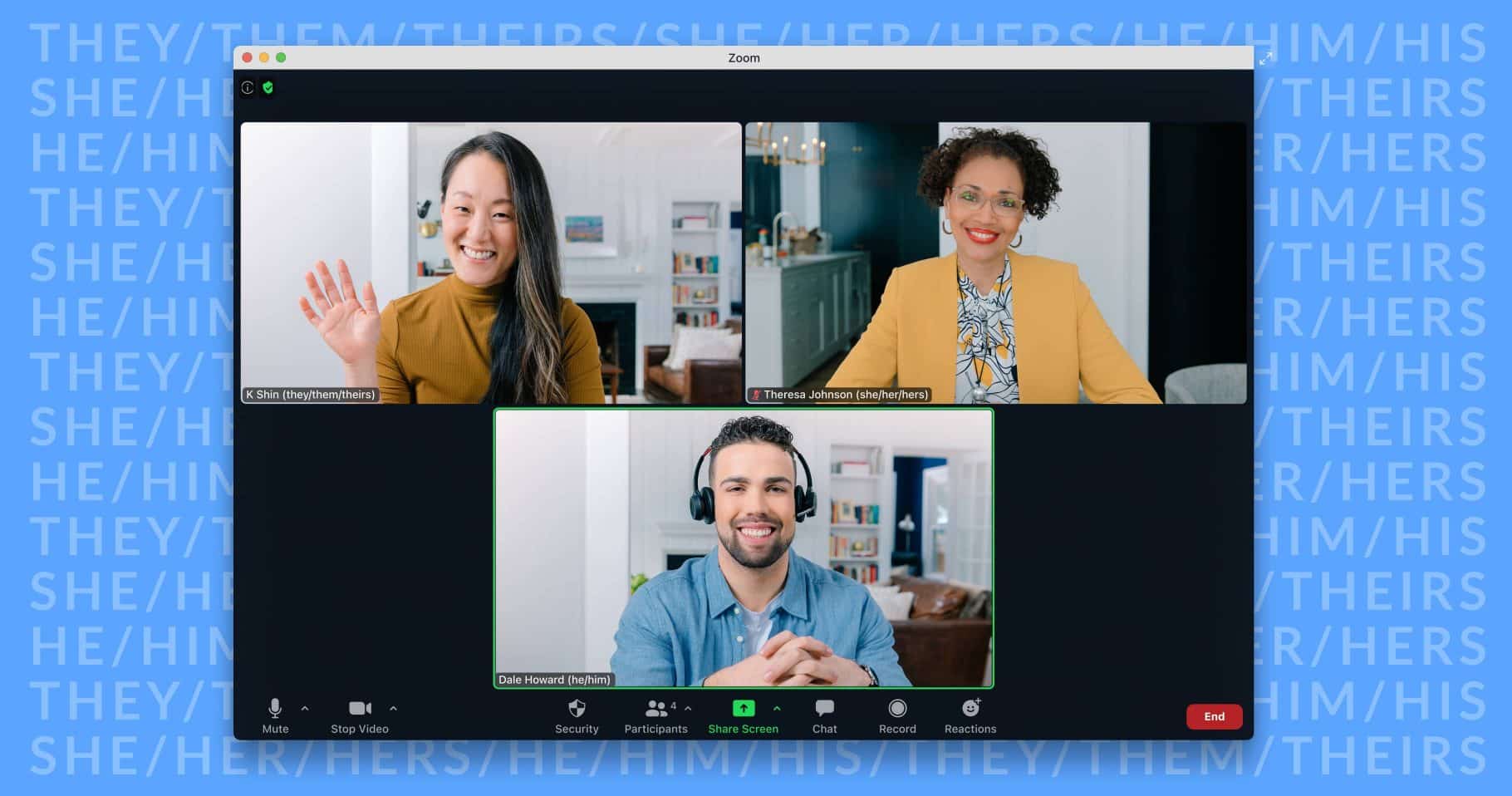
Zoom meetings that have been recorded can be a huge assistance. They’re a convenient method to preserve meeting information for subsequent notes, revisit project specifics, and even share them with coworkers who couldn’t attend. In this post, we will have a look at how to record a meeting in zoom.

When it comes to recording meetings, things can get complicated because different video conferencing systems necessitate different methods. Different accounts inside a program have different ground rules as well. To make matters worse, who has the authority to record adds another degree of ambiguity.

We’ll also show you how to use a simple shortcut to record all of your meetings – not just Zoom sessions. But first, watch this video that explains every step of the Zoom conference recording process. Zoom users, both free (Basic) and subscription, may record their sessions utilizing the video-conferencing application.
Advanced Uninstall Manager App Review 2022 | Remove Unnecessary ApplicationsAlso readAdvanced Uninstall Manager App Review 2022 | Remove Unnecessary Applications
How To Record A Meeting In Zoom
Tech Radar

Free users, on the other hand, are restricted in a few ways. For example, the recording is saved locally (wasting valuable storage space), and you can’t record meetings on your phone.

Are you wondering whether there is an option or if all hope is lost? A Zoom conference may be recorded from your phone using a third-party screen recorder such as Vimeo Record.

Request permission to record from the host. To do so, the host must go to the bottom of their window and select ‘Manage Attendees,’ which will provide a list of participants. Hover over the participant’s name, touch ‘More,’ and then from the drop-down option, select ‘Allow Record.’

Table of Contents
  • How to Make a Laptop Record a Zoom Meeting
  • How to Make a Phone Recording of a Zoom Meeting
  • CONCLUSION 

How to Make a Laptop Record a Zoom Meeting

Follow these three steps or use the shortcuts we’ve provided:

Step 1: Begin your Zoom meeting. Alternatively, press Command +Control + V to start a new meeting.

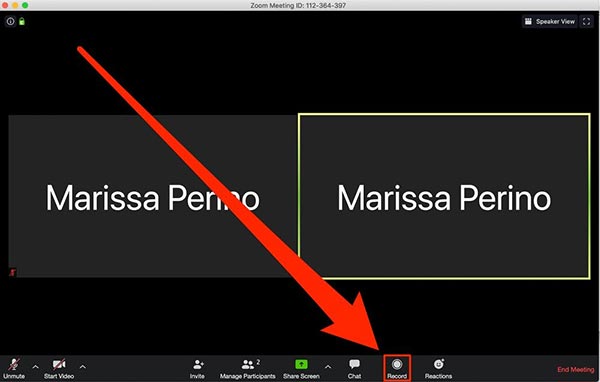
Step 2: At the bottom of your window, tap the ‘Record’ button. Alternately, press Alt + R (Command + Shift + R on a Mac). As a result, a little ‘Recording’ mark will appear in the upper-left corner of your screen to show that your recording is in process.
How To Record A Meeting In Zoom
Image Source: tipard

If you’re a paying user, you’ll be able to choose whether to start a local or cloud recording here.

Step 3: To pause or stop the recording, click the ‘Pause’ or ‘Stop’ button at the bottom of your window. To pause or resume recording, use Alt + P or Command + Shift + P as shortcuts. Also, Alt + R or Command + Shift + R to exit.

How to Make a Phone Recording of a Zoom Meeting

A quick reminder: if you’re a free user, you can’t record a Zoom conference from your Android or iOS phone.

After entering a meeting, paid Zoom users can do the following:

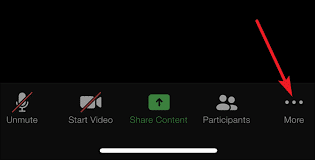
Step 1: Click the three dots in the lower-right corner of your screen. Then, select ‘Record to Cloud (iOS)’ or ‘Record’ (Android). In response, a ‘Recording’ symbol will appear in the top-right corner.
How To Record A Meeting In Zoom
Image Source: EaseUS

Step 2: Tap the recording symbol on your screen to pause or stop the recording.

Typically, phone recordings are preserved in an internet folder. They may be found under the ‘Meetings’ page of the desktop Zoom program or the ‘My Recordings’ part of the Zoom website. Warning: If the conversion process of your recording is halted for any reason, such as restarting or shutting down your computer, it will be lost. On the plus side, if you use Vimeo Record and your recording is stopped, say, by a poor internet connection, your recording will still be recoverable.

CONCLUSION 

By following the above-specified procedure, you can easily record the zoom meeting. So, if you don’t have time to attend the meeting, you can simply record it and watch it for later, so you don’t miss something important. Here is the rundown on how to record a meeting in zoom. Check it out above. Give us feedback in the comment section below.

Also Checkout: Advanced Uninstall Manager App Review 2022 | Remove Unnecessary Applications

Enjoyed this story?Share it with your friends
WhatsAppLinkedInXFacebookEmail
See more TSA Mag stories on GoogleAdd us as a preferred source and our stories will show up more often in your Top Stories.
GAdd The Second Angle as a preferred source on Google
ShareSend
Tweet
Previous Post

10 Best HBO Shows To Watch – HBO Series

Next Post

Aung San Suu Kyi’s secretive Myanmar trials end with 7 more years of jail

Related Posts

Person checking a laptop screen for signs that their email address was exposed in a data breach
Technology

How to Check If Your Email Was in a Data Breach (2026 Guide)

How to check if your email was in a data breach using Have I Been Pwned, Google, Apple and Mozilla...

Read moreDetails
Customer scanning a UPI QR code with a smartphone to make a small payment
Technology

What Is UPI Lite Limit in 2026? Wallet, Payment Caps and Setup

What is UPI Lite limit in 2026: Rs 1,000 per payment and Rs 5,000 balance. How to enable it, auto...

Read moreDetails
Smartphone showing mobile network settings used to add an eSIM in India
Technology

How to Activate eSIM in Jio, Airtel and Vi: Step-by-Step Guide

How to activate eSIM in Jio, Airtel and Vi: check phone support, follow official app steps, know the charges, switch...

Read moreDetails
10 Best Free Productivity Apps in 2026 and What Each Plan Offers
Technology

10 Best Free Productivity Apps in 2026 and What Each Plan Offers

The best free productivity apps in 2026, including Notion, Todoist, Trello and Obsidian, with free plan limits checked on each...

Read moreDetails
A man in Bengaluru looking at his smartphone
Technology

DigiLocker Guide: How to Use It and Which Documents Are Valid

A simple DigiLocker guide for India: how to sign up, fetch your PAN, driving licence and marksheets, share them safely,...

Read moreDetails
A young person using a mobile phone
Technology

How to Block a Lost or Stolen Phone on Sanchar Saathi (CEIR)

Lost your mobile? Here is how to block a lost phone on Sanchar Saathi using CEIR, the documents you need,...

Read moreDetails
Load More
Next Post
Aung San Suu Kyi’s secretive Myanmar trials end with 7 more years of jail

Aung San Suu Kyi's secretive Myanmar trials end with 7 more years of jail

About

The Second Angle

The Second Angle (TSA Mag) is an infotainment and lifestyle magazine covering entertainment, travel, technology, health, education and finance.

Important Links

  • About The Second Angle
  • Advertise With Us
  • Editorial Policy
  • Privacy Policy
  • Terms and Conditions
  • Contact Us
  • Careers
  • Newsletter

Explore

  • Infotainment
  • Entertainment
  • Buzz
  • Education
  • Travel
  • Finance
  • Healthcare
  • Technology
Advertise with us

© 2017-2026. The Second Angle. All Rights Reserved. Developed and Managed by Squarebase.io

Welcome Back!

Login to your account below

Forgotten Password?

Retrieve your password

Please enter your username or email address to reset your password.

Log In
No Result
View All Result
  • Infotainment
    • Sports
    • People
    • Inspiring
  • Entertainment
    • Lifestyle
    • Home & Decoration
  • Buzz
  • Education
  • Travel
  • Finance
  • Healthcare
  • Technology

© 2017-2026. The Second Angle. All Rights Reserved. Developed and Managed by Squarebase.io

We use cookies to keep TSA fast and relevant. Read our Privacy Policy.