
• About   |
  • Submit Guest Post |
  • Contact Us
No Result
View All Result
The Second Angle (TSA Magazine)
Advertise
  • Infotainment
    • Sports
    • People
    • Inspiring
  • Entertainment
    • Lifestyle
    • Home & Decoration
  • Buzz
  • Education
  • Travel
  • Finance
  • Healthcare
  • Technology
The Second Angle
No Result
View All Result
  • Infotainment
  • Entertainment
  • Buzz
  • Education
  • Travel
  • Finance
  • Healthcare
  • Technology
Advertisement
ADVERTISEMENT
Home Technology

How To Deactivate Or Delete Your Snapchat Account

Snapchat is without a doubt one of the most popular social media platforms among millennials. Here’s an easy guide on How to Deactivate or Delete Your Snapchat Account.

by TSA Desk
April 27, 2023
in Technology
Reading Time: 3 mins read
How To Deactivate Or Delete Your Snapchat Account

Techvocast

Share on FacebookShare on WhatsApp
Advertisement Advertisement Advertisement
ADVERTISEMENT

Snapchat is without a doubt one of the most popular social media platforms among millennials. It’s a site where users may share photos with their friends by applying various effects.  In this post, we present an easy guide on how to deactivate or delete your Snapchat account.

Though its popularity has waned over time, with fewer users than Instagram and Facebook, many people still use Snapchat to take images, record movies with catchy filters, and keep a streak with pals.

How to Deactivate or Delete Your Snapchat Account
image source: wallpaper access

However, if you are no longer using your Snapchat account and are seeking simple methods to delete and deactivate it, we have you covered. In this post, we will walk you through the process of deleting, deactivating, and securing your data kept on the Snapchat platform.

Table of Contents
  • STEPS TO DEACTIVATE or DELETE YOUR SNAPCHAT ACCOUNT 
  • STEPS TO DOWNLOAD SNAPCHAT DATA
  • What can you get from a Snapchat account?
  • How Do I Reactivate My Snapchat Account?

STEPS TO DEACTIVATE or DELETE YOUR SNAPCHAT ACCOUNT 

How to Deactivate or Delete Your Snapchat Account
image source: expression

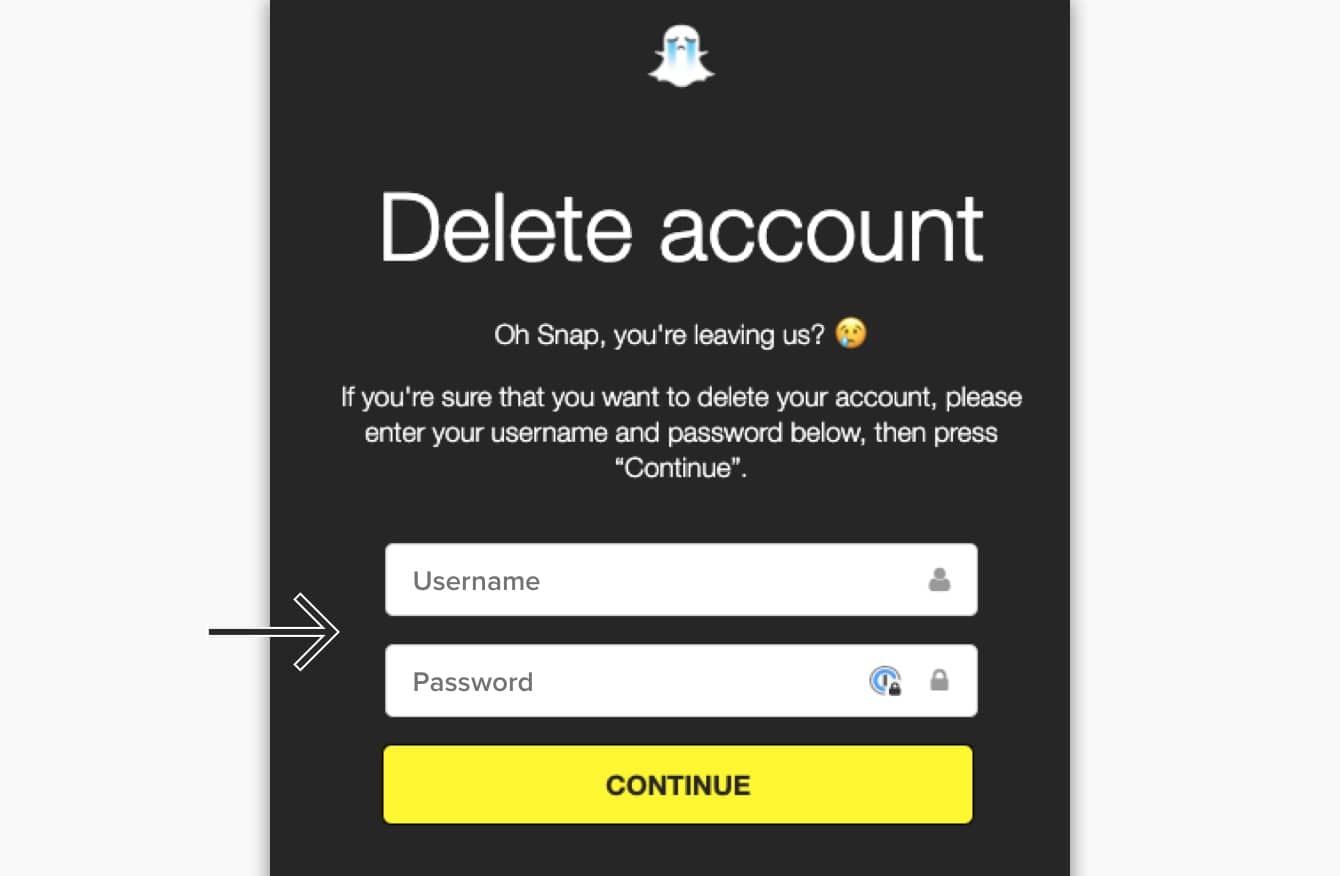
Step 1: Navigate to Snapchat’s web browser.

RelatedPosts

7 Conspiracy Theories That You Would Definitely Want To Believe In

Can You Download Videos From Facebook?

7 Most Futuristic Concept Cars in the World

7 Most Futuristic Concept Cars in the World

Step 2: Access your account.

Step 3: On the Manage My Account page, click ‘Delete my Account.’

Step 4: Confirm your choice by entering your login and password again.

Step 5: Press the Continue button.

Step 6: Try logging in again to check the status of your account.

If you wish to completely remove and deactivate your account, you must not log into the app for 30 days after you deactivate it. You can only remove your Snapchat account using the Snapchat web browser. Before you completely deactivate your Snapchat account, make a backup of your Snapchat data.

STEPS TO DOWNLOAD SNAPCHAT DATA
How to Deactivate or Delete Your Snapchat Account
image source: online

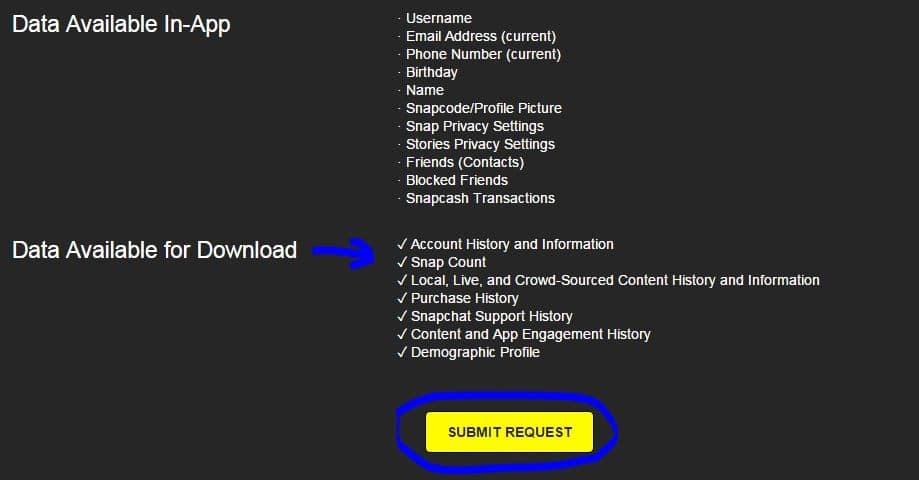
Every Snapchat user should remember that before uninstalling the app, you must download the data or else you will lose it. Follow these simple steps to extract all of the data available on Snapchat:

Step 1: Open a web browser and navigate to your Snapchat account.

Step 2: Enter your login and password.

Step 3: Now, on the Manage My Account page, navigate to the My Data area.

Step 4: At the bottom of the page, click Submit request.

Step 5: Snapchat will then send you an email to your registered email address.

Step 6: To get Snapchat data, click on the link.

Step 7: All of the data will be saved on your device in the form of a zip file.

What can you get from a Snapchat account?

Snapchat users may download data from the app in addition to photographs and videos. Login history and account information, user profile details, snap and conversation history, memories, Bitmoji, and many other things may be obtained from Snapchat.

Before removing the app, you may also download the purchase and shopping history, Snapchat support history, and location data.

How Do I Reactivate My Snapchat Account?
How to Deactivate or Delete Your Snapchat Account
image source: youtube

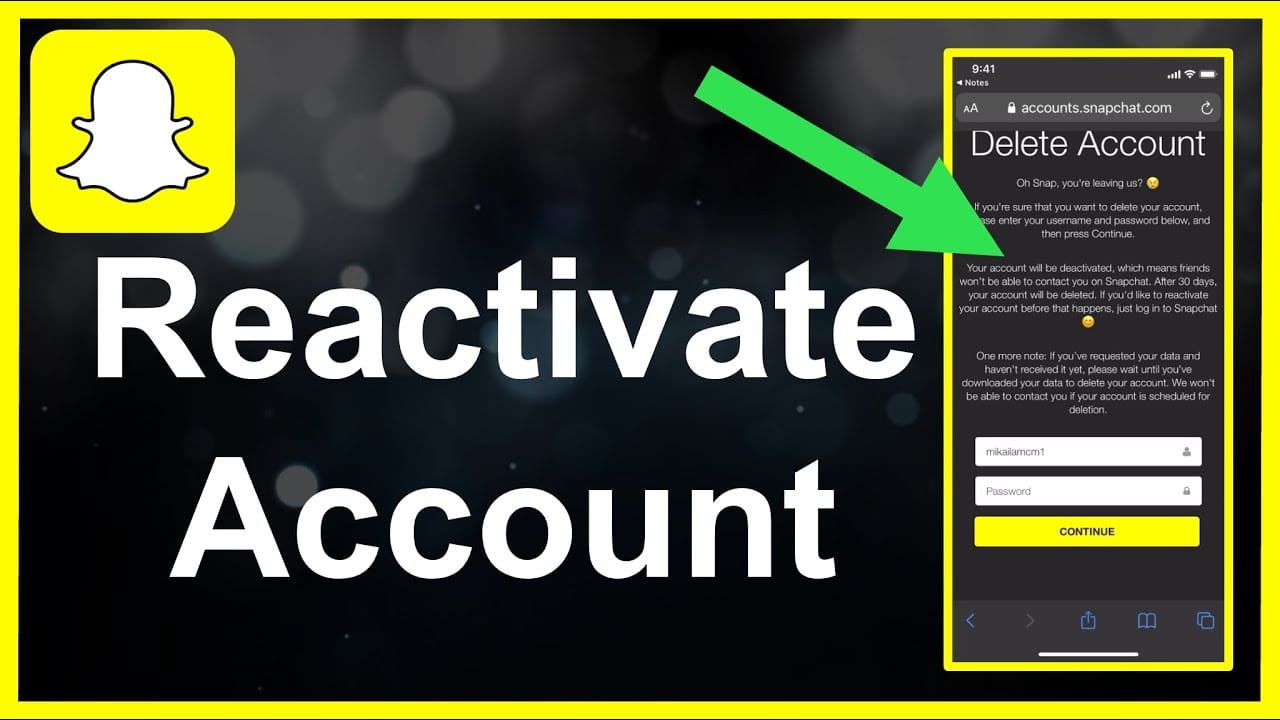
Snapchat does not immediately erase the account. It gives you 30 days before permanently deleting your account. If you change your mind and desire to return to this social networking site with all of your data and prior information, here are some measures you may do.

  • All you have to do to reinstate your Snapchat account is log in within 30 days after its cancellation. This will guarantee that your account is reactivated and all of your data is recovered.
  • The user must log in with their existing password. After the account has been deactivated, you are unable to modify or reset your password.
  • When the account has been deactivated After submitting the request, it may take up to 24 hours to reactivate the account and recover the data.
  • After the 30-day period, no one may revive their accounts.

Also check out: 5 Best Web Browsers For Android TV

ShareSendTweet
Previous Post

10 Of The Best French Shows On Netflix That You Shouldn’t Miss

Next Post

China warns U.S., S. Korea against ‘provoking confrontation’ with N. Korea

Related Posts

7 Conspiracy Theories That You Would Definitely Want To Believe In
Technology

Can You Download Videos From Facebook?

500 million people view millions of videos on Facebook every day. Some Facebook users wish to save their favorite videos...

Read moreDetails
7 Most Futuristic Concept Cars in the World
Technology

7 Most Futuristic Concept Cars in the World

Concept cars are no longer only a showpiece to draw attention to an automotive company. This is true technological brilliance....

Read moreDetails
What Makes GPT-4 Unique From ChatGPT And How Is It Different?
Technology

What Makes GPT-4 Unique From ChatGPT And How Is It Different?

With inception of new versions and other competitive AI chatbots, there arises a question — What makes GPT-4 Unique From...

Read moreDetails
20 Most Amazing And Genius Product Packaging Designs Ever Created
Technology

20 Most Amazing And Genius Product Packaging Designs Ever Created

The majority of our items are packaged in some style. Certain products don't require as much packing because customers will...

Read moreDetails
7 Most Expensive Cars In The World
Listicles

7 Most Expensive Cars In The World

Cars have been defined as a symbol of both luxury and status. While most of us are using our cars...

Read moreDetails
Top Examples Of Interactive Marketing & How Brands Can Make The Most Of It
Business

Top Examples Of Interactive Marketing & How Brands Can Make The Most Of It

In today's fast-paced digital age, companies must continually find new ways to engage with consumers. One increasingly popular approach is...

Read moreDetails
Load More
Next Post
China warns U.S., S. Korea against ‘provoking confrontation’ with N. Korea

China warns U.S., S. Korea against 'provoking confrontation' with N. Korea

Important Links

  • About
  • Guest Post
  • Privacy Policy
  • Terms
  • Contact Us
  • Newsletter

© 2017-23. The Second Angle. All Rights Reserved. Developed and Managed by SquareBase.io

Welcome Back!

Login to your account below

Forgotten Password?

Retrieve your password

Please enter your username or email address to reset your password.

Log In
No Result
View All Result
  • Infotainment
    • Sports
    • People
    • Inspiring
  • Entertainment
    • Lifestyle
    • Home & Decoration
  • Buzz
  • Education
  • Travel
  • Finance
  • Healthcare
  • Technology

© 2017-23. The Second Angle. All Rights Reserved. Developed and Managed by SquareBase.io

This website uses cookies. By continuing to use this website you are giving consent to cookies being used. Visit our Privacy and Cookie Policy.