




When it comes to presentations, Microsoft PowerPoint is almost always the first thing that comes to mind. It’s a one-stop platform for creating, altering, and collaborating on visual tales, with a ton of professionally designed templates, layouts, fonts, icons, and more.
With that said PowerPoint has a few age-old flaws, such as a cluttered interface and a feature set that necessitates a steep learning curve. In this article, we have compiled a list of the best Powerpoint Alternatives for presentations.
Furthermore, the service lacks the ability to entice users with visually appealing layouts. Not to mention the premium cost of Microsoft Office 365 ($99.99 per year or $9.99 per month), which is not affordable for everyone. Thankfully, users who desire the capability of Microsoft PowerPoint in a free-to-use package have a variety of options.
 Also readHow AI Can Drive Your Digital Transformation Journey
Let’s dive into the list of Best Powerpoint Alternatives –
1. Prezi
The online presentation platform guarantees you lots of options at all times, with an ever-growing collection of templates ranging from business and education to sales and marketing. Furthermore, the adjustable pictures, layouts, and charts provide you with the necessary flexibility to fine-tune everything to your specifications.

With so many professionally created presentations to choose from, finding one that meets a specific need isn’t difficult. Prezi appears to be more effective than PowerPoint in terms of clever branding. It has a clever branding tool that provides a lovely color theme for presentations depending on your company’s color.
2. Keynote
Keynote, Apple’s PowerPoint replacement, is everything you’d expect from an Apple product: elegant, sophisticated, and user-friendly. Keynote has become much more intuitive since the advent of the iPad Pro and Apple Pencil. Presentations are saved in the cloud and can be accessed from any device.

Keynote is jam-packed with features like the ability to build dynamic charts, add reflections, and picture frames, making it simple to create presentations with cinematic-like transitions between slides.
3. Google Slides
Multiple persons can work on a presentation at the same time and add new slides. This is bolstered by the fact that it is readily available. Google Slides is a web-based presentation tool with iOS and Android apps. Furthermore, Google Slides keeps track of all the changes that users make to a presentation, and you can easily restore a previous version of your slideshow.

While everyone with a Gmail account can use Google Slides, G Suite subscribers benefit from additional data security. The quantity of templates, animation forms, and fonts is limited as compared to PowerPoint. On a daily level, however, organizations tend to overlook these flaws.
4. WPS Office Free
In terms of functionality and user interface, WPS Office is the most similar replacement to PowerPoint. Furthermore, unlike the other web-based services on our list, it does not necessarily require an active internet connection to utilize.
Users may modify current PowerPoint documents with ease in WPS Office thanks to its full support for PowerPoint files.
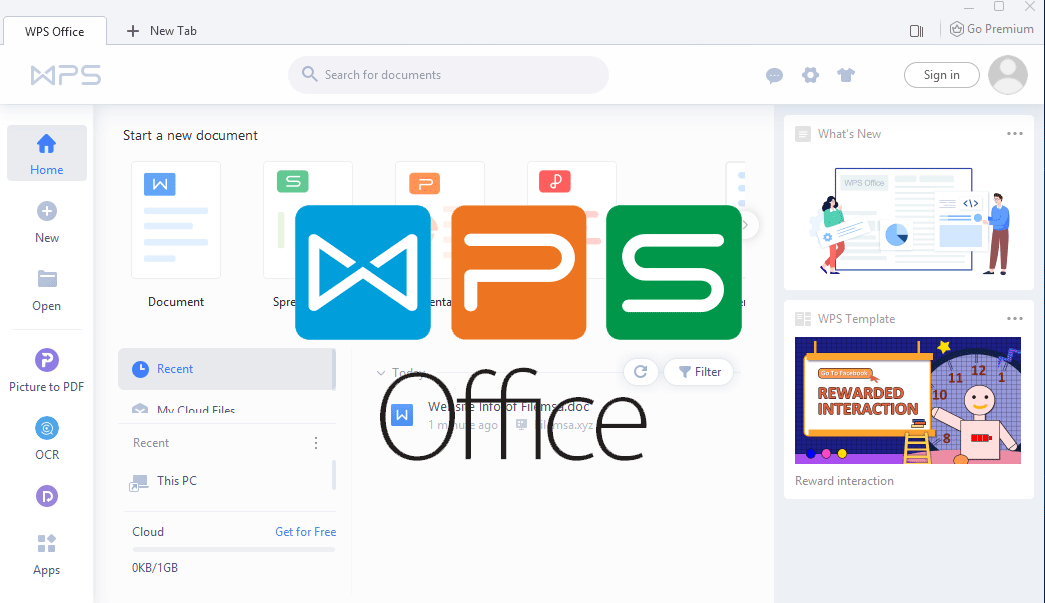
They can also use Microsoft PowerPoint to insert films and animate specific objects. It also has a large number of templates from which users can choose.
However, while the software is free, it is sponsored by advertisements, which can be annoying at times. Furthermore, unlike Google Slides, teamwork is more difficult.
5. Canva
Canva is widely known as a photo editing and design tool, but it is also a capable alternative to Microsoft PowerPoint. Canva’s ease of usage is one of its key advantages. If people don’t comprehend something, there are several basic tutorial videos on the website. The minimalistic UI is simple to use even for complete beginners.

Canva’s free version gives you access to over 8000+ presentation templates, which will significantly speed up your workflow. Canva is also one of the most user-friendly sites for creating infographics and charts. Canva’s only limitation is that it only provides a limited collection of tools and transitions to users.
6. Visme
Visme is a cloud-based, drag-and-drop presentation software that provides users with all of the tools they need to produce not only engaging presentations, but also infographics, data visualizations, reports, product demos, and resumes.
Its ready-to-use templates, which have HD backgrounds and professionally created layouts, provide a welcome break from the usual PowerPoint themes.

Visme’s custom design area is jam-packed with millions of free photos, thousands of vector icons, graph tools in every style, and hundreds of typefaces, allowing users to create virtually any form of visual content.
7. Xtensio
For business users, Xtensio is one of the better solutions. It contains a variety of templates for various organizational divisions, such as marketing, UX design, and so on. Even novices can generate professional-looking reports and presentations using Xtensio’s simple interface.

Furthermore, they provide considerably more design versatility. Each object in a template can be customized to meet your individual requirements. It does, however, have several flaws. Users cannot, for example, export their presentations in PowerPoint format. Furthermore, the free version only supports one user at a time and has a storage limit of 1MB.
8. Zoho Show
Zoho Show is quite similar to Microsoft PowerPoint in many ways. Zoho Show is the appropriate program for you if you’re a teacher who needs to generate interactive slideshow presentations or a businessman who needs to come up with an exciting presentation to sell new products on a regular basis.

While PowerPoint has a large number of templates, Show isn’t far behind. So, no matter what your needs are, there’s a good chance you’ll be able to find a template that can help you form and present your thoughts in the best possible way.
9.LibreOffice
LibreOffice is an open-source presentation program that can perform all of the tasks that PowerPoint can. Although it lacks features like OneDrive integration, its PowerPoint-like capability more than compensates. The ability to import Keynote files is one of LibreOffice’s many valuable features.
LibreOffice also includes a large library of free templates that users can use to build presentations. You can also get more templates from LibreOffice’s online repository if that isn’t enough. LibreOffice is a free office suite that runs on Windows, Mac OS X, and Linux.
10. OnlyOffice
The software has placed a greater emphasis on a simple user interface, which is critical in providing a more comfortable presentation creation experience for businesses. It simplifies the entire process, whether it’s producing a rapid slideshow presentation, updating existing slides, or collaborating with colleagues.

OnlyOffice puts the entire team in sync and allows them to work on the presentation with clarity because it is fully linked with collaboration platforms such as mail, CRM, projects, and calendars. Although it does not have the same number of templates as PowerPoint, it has enough pre-defined templates to fulfill most needs.
In essence, all of these products and services work in the same way as PowerPoint does, but at a lower cost. Additionally, web-based options offer more advanced features such as automatic saving and cloud storage. Despite this, PowerPoint continues to be the most used presentation program. As a result, it is critical for consumers to understand how to get the most out of its features.
Also check out: How AI Can Drive Your Digital Transformation Journey








