



• About   |
  • Advertise |
  • Contact Us
No Result
View All Result
The Second Angle (TSA Magazine)
Advertise
  • Infotainment
    • Sports
    • People
    • Inspiring
  • Entertainment
    • Lifestyle
    • Home & Decoration
  • Buzz
  • Education
  • Travel
  • Finance
  • Healthcare
  • Technology
The Second Angle
No Result
View All Result
  • Infotainment
  • Entertainment
  • Buzz
  • Education
  • Travel
  • Finance
  • Healthcare
  • Technology
Advertisement Advertisement Advertisement
ADVERTISEMENT
Home Technology

How To Get A Snapchat Streak Back – Easy Way To Recover Snapchat Streak

"Snapstreak" is one of Snapchat's many entertainment features. Here is an easy guide on how to get a Snapchat Streak back.

by TSA Desk
April 4, 2023
in Technology
Reading Time: 2 mins read
How To Get A Snapchat Streak Back - Easy Way To Recover Snapchat Streak

Business Insider

Share on FacebookShare on WhatsApp
Advertisement Advertisement Advertisement
ADVERTISEMENT
3 min readGAdd The Second Angle as a preferred source on Google
Key takeaways
What is Snapchat Streak or SnapStreak?: Snapstreaks, or Snapchat Streaks, are a visual representation of regular interactions with a Snapchat user.How to get a Snapchat Streak Back?In order to do so, follow these easy steps:

Although Snapchat will notify you when your streak is about to end (when no snaps have been delivered in the last 24 hours), a broken streak is not always avoidable. If you’ve just lost your Snapstreak with a close friend or significant other, here’s how to get a Snapchat Streak.

“Snapstreak” is one of Snapchat’s many entertainment features. Here is an easy guide on how to get a Snapchat Streak back.

Snapchat streak has to be the one Snapchat feature that helps with user retention. With a Snapchat streak, you pledge to send at least one photo or video snap to someone every day within 24 hours. The goal is to maintain the biggest streak score possible by exchanging every day.

The Green Side of Cloud Computing: Harnessing Sustainable Tech SolutionsAlso readThe Green Side of Cloud Computing: Harnessing Sustainable Tech Solutions

How to get a Snapchat Streak Back - Easy way to recover Snapchat Streak
Image Source: BBC

Maintaining Snapchat streaks is a significant thing for most Snapchat users. It was created as a strategic incentive for users to keep coming and utilizing the site. As a result, losing a Snapchat streak due to things like server outages or software difficulties is a genuinely awful experience.

Table of Contents
  • What is Snapchat Streak or SnapStreak?
  • How to get a Snapchat Streak Back?
  • In order to do so, follow these easy steps:
  • Conclusion

What is Snapchat Streak or SnapStreak?

How to get a Snapchat Streak Back - Easy way to recover Snapchat Streak
Image Source: touchdowns

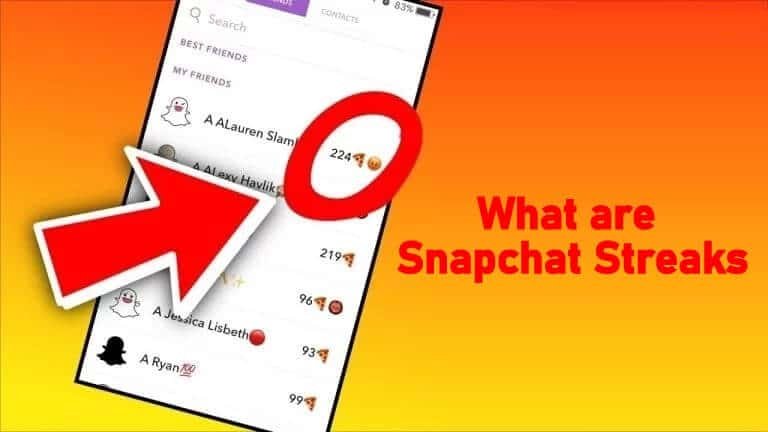
Snapstreaks, or Snapchat Streaks, are a visual representation of regular interactions with a Snapchat user. When you and a buddy start sending snaps to each other at least once per 24 hours for three days in a row, you’ve started a Snap streak.

To be clear, your SnapStreaks will not be affected by text chats within the Snapchat app. If you don’t share a photo or video with Snapchat friends or loved ones within a 24-hour timeframe, you’ll lose your Snapstreak.

How to get a Snapchat Streak Back?
How to get a Snapchat Streak Back - Easy way to recover Snapchat Streak
Image Source: India today

In order to do so, follow these easy steps:

  1. Open Snapchat and go to the top-left corner of your Bitmoji (or profile icon). Press the Settings icon in the top-right corner of the screen when your profile appears.
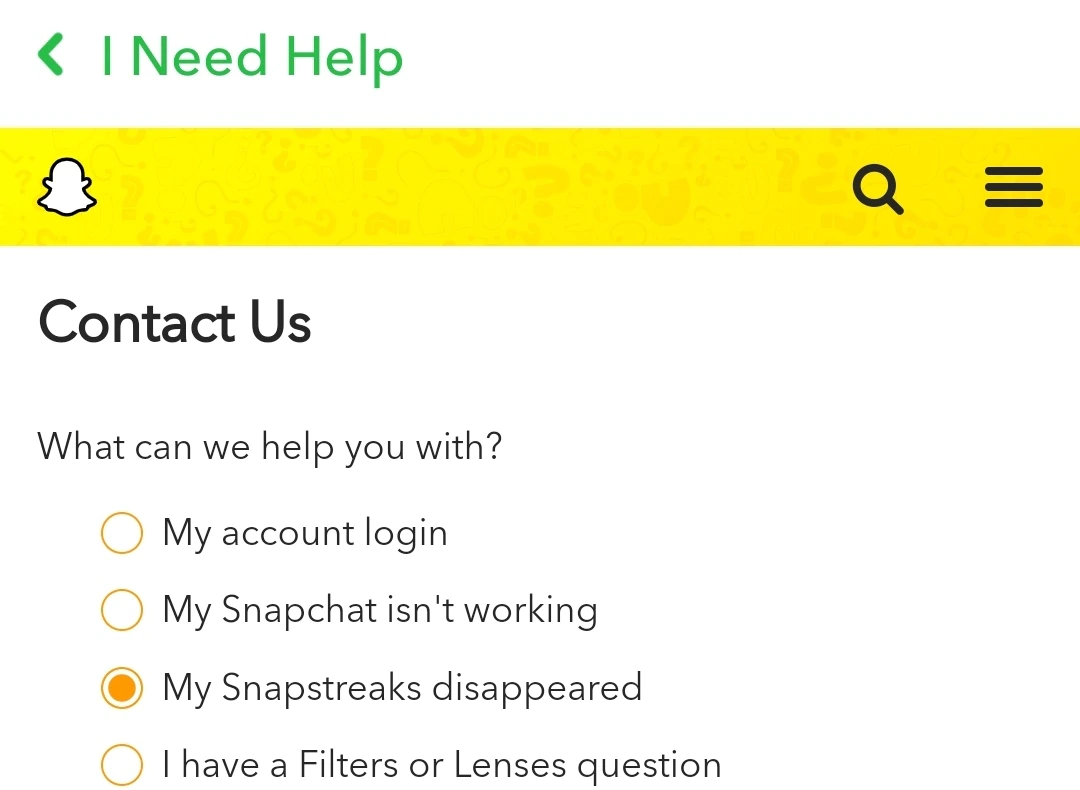
  2. Select “I Need Help” from the “Support” section after scrolling down. You’ll now be sent to Snapchat’s help page. To browse Snapstreaks-related support issues, tap “SnapStreaks.”
  3. Look for the question “What if my Snapstreak has ended but I know we exchanged Snaps (not Chats) during the 24-hour window?” and select “Let us know” from the drop-down menu. Select the “I Lost My Snapstreak” option on the Snapchat support website under the “Contact Us” section on the following page.
  4. A form will appear, prompting you to enter information such as your login, email, phone number, device, friend’s username, and more. To submit the request, fill in the required information and hit “Send.” It’s worth noting that when making the request, you may only use the username of one buddy. If you’ve lost numerous Snapstreaks, you’ll need to make separate requests to Snapchat.

Conclusion

The Snapstreaking function is sure to bring out your competitive side as well as keep you interested in the app. A numerical streak display and reminders are provided by the platform when a snap is not received within 24 hours. Hope you liked our guide on how to get a Snapchat streak back. Let us know your review in the comment section below.

Also Checkout: The Green Side of Cloud Computing: Harnessing Sustainable Tech Solutions

Enjoyed this story?Share it with your friends
WhatsAppLinkedInXFacebookEmail
See more TSA Mag stories on GoogleAdd us as a preferred source and our stories will show up more often in your Top Stories.
GAdd The Second Angle as a preferred source on Google
ShareSend
Tweet
Previous Post

Chandigarh Kare Aashiqui Review: A Light-Hearted Movie Capturing An Essential Subject

Next Post

Former New Zealand PM Jacinda Ardern to begin new role combating online extremism

Related Posts

Person checking a laptop screen for signs that their email address was exposed in a data breach
Technology

How to Check If Your Email Was in a Data Breach (2026 Guide)

How to check if your email was in a data breach using Have I Been Pwned, Google, Apple and Mozilla...

Read moreDetails
Customer scanning a UPI QR code with a smartphone to make a small payment
Technology

What Is UPI Lite Limit in 2026? Wallet, Payment Caps and Setup

What is UPI Lite limit in 2026: Rs 1,000 per payment and Rs 5,000 balance. How to enable it, auto...

Read moreDetails
Smartphone showing mobile network settings used to add an eSIM in India
Technology

How to Activate eSIM in Jio, Airtel and Vi: Step-by-Step Guide

How to activate eSIM in Jio, Airtel and Vi: check phone support, follow official app steps, know the charges, switch...

Read moreDetails
10 Best Free Productivity Apps in 2026 and What Each Plan Offers
Technology

10 Best Free Productivity Apps in 2026 and What Each Plan Offers

The best free productivity apps in 2026, including Notion, Todoist, Trello and Obsidian, with free plan limits checked on each...

Read moreDetails
A man in Bengaluru looking at his smartphone
Technology

DigiLocker Guide: How to Use It and Which Documents Are Valid

A simple DigiLocker guide for India: how to sign up, fetch your PAN, driving licence and marksheets, share them safely,...

Read moreDetails
A young person using a mobile phone
Technology

How to Block a Lost or Stolen Phone on Sanchar Saathi (CEIR)

Lost your mobile? Here is how to block a lost phone on Sanchar Saathi using CEIR, the documents you need,...

Read moreDetails
Load More
Next Post
Former New Zealand PM Jacinda Ardern to begin new role combating online extremism

Former New Zealand PM Jacinda Ardern to begin new role combating online extremism

About

The Second Angle

The Second Angle (TSA Mag) is an infotainment and lifestyle magazine covering entertainment, travel, technology, health, education and finance.

Important Links

  • About The Second Angle
  • Advertise With Us
  • Editorial Policy
  • Privacy Policy
  • Terms and Conditions
  • Contact Us
  • Careers
  • Newsletter

Explore

  • Infotainment
  • Entertainment
  • Buzz
  • Education
  • Travel
  • Finance
  • Healthcare
  • Technology
Advertise with us

© 2017-2026. The Second Angle. All Rights Reserved. Developed and Managed by Squarebase.io

Welcome Back!

Login to your account below

Forgotten Password?

Retrieve your password

Please enter your username or email address to reset your password.

Log In
No Result
View All Result
  • Infotainment
    • Sports
    • People
    • Inspiring
  • Entertainment
    • Lifestyle
    • Home & Decoration
  • Buzz
  • Education
  • Travel
  • Finance
  • Healthcare
  • Technology

© 2017-2026. The Second Angle. All Rights Reserved. Developed and Managed by Squarebase.io

We use cookies to keep TSA fast and relevant. Read our Privacy Policy.





