




There are several applications that allow you to create slideshows. With the addition of background music, the unforgettable experiences become even more vivid in your mind. Finding the finest slideshow software is a wonderful place to start if you want to build one. In this post we are gonna look at some of the best slideshow apps for android & iOS that you must try.
The Android and iOS versions of many of the most popular picture and video slideshow applications are available. These applications allow you to turn your device’s images into stunning audio/video presentations. However, only a handful of them are capable of producing high-quality slideshow films. As a result, you must be selective when searching for apps. This is the place to go if you need assistance.
List of 10 Best slideshow apps for android & iOS are given below:
How do you know which applications are the best for creating slideshows? Basic characteristics aid in the selection of suitable slideshow programmes. It should be simple to use, share online, and have fancy effects that allow you to express yourself. Here are the top ten finest slideshow programmes worth considering.
 Also readTop 5 Coding Bootcamp in USA
1. Movavi Clips
Movavi Clips is a simple slideshow builder that works on both Android and iOS devices. Movavi Clips allows you to instantly turn your images into distinctive photo slideshows. All you have to do now is drag and drop your photographs and videos from your phone’s gallery, apply transition effects, and select a musical background. Overlay the music you want to hear and change the level using the built-in audio mixer. Movavi Clips makes it simple to make and share videos on Facebook and YouTube, as well as Instagram stories.
Movavi Clips is accessible for free, with a premium version costing $3.49 per month. The premium edition provides new sticker packs, free feature upgrades, and high-priority technical assistance, as well as the ability to export films without watermarks. Regardless of the version you pick, the Movavi website has a number of tutorials to assist you learn how to use the software.
2. MoShow
MoShow is a simple slideshow maker with a lot of free features. The app’s layout is simple and straightforward to use, making it simple to share your experiences with friends, family, and through social media. It’s as simple as selecting a style for your images and testing the results on your preferred display. A free version of MoShow is available, however it has restricted capabilities and uploaded movies. Subscribe to the VIP edition for $5.99 a month to remove the watermarks and gain access to other features such as limitless photos in slideshows.
3. PicPlayPost

Do you require a slideshow creator with photo editing features? PicPlayPost is the app for you if that’s the case. PicPlayPost allows you to easily make a stunning video montage from images in JPG and GIF formats, as well as home films. The videos you add can be trimmed, sped up, or slowed down. For TikTok, Snap, and YouTube – as well as Instagram’s 9-frame live image collages — each collage may be up to 10 minutes long in HD or 4K resolution in the right aspect ratios. The free version of PicPlayPost has restricted features. Subscribe to the Pro version for $6.99 a month to get full functionality, including the ability to produce films up to 30 minutes long.
5. Videoshop

Videoshop is a professional slideshow builder and video editing programme that can help you turn your gorgeous photos into professional-looking films. This programme comes with a plethora of filters, transitions, and text options. To make your slideshows look more professional, Videoshop provides a range of sophisticated features, such as tilt shift and colour correction. The basic version of Videoshop is free, but if you want all of the additional capabilities, you’ll have to pay $3.99 per month for the Pro version.
5. Viva Video
Viva Video is a sophisticated slideshow builder and video editor that allows you to create and share amazing slideshow videos. Special effects, stickers, and a built-in music library are just a few of the essential tools in this video editor for better presentations. Viva Video is free to use, however it has restricted features. For $6.99 per month, upgrade to the VIP edition to make higher-quality movies and erase watermarks.
6. Dayframe
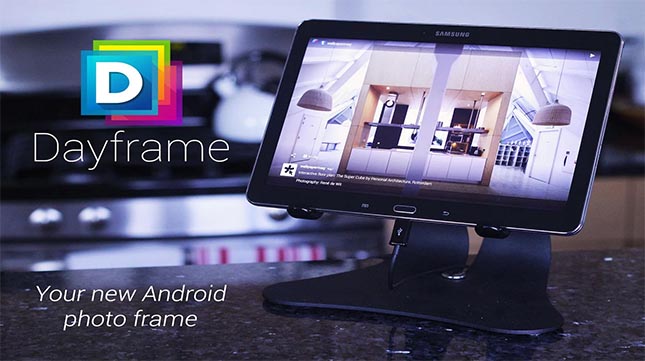
If you’ve made slideshows before and are familiar with video editing in general, Dayframe is a good choice. This programme contains a plethora of powerful editing options that can transform your slideshow into a properly cut film. It also retrieves photographs from Facebook, Instagram, and other social media platforms with ease. You can also use Dayframe to make a digital photo frame out of your smartphone. Dayframe is a free Android software that can be downloaded on any smartphone.
7. Pixgram

Pixgram offers a user-friendly platform that lets even novices to make quick and simple presentations. It also comes with a plethora of filters and effects to enhance your images, as well as a built-in library of background music to help you create the ideal soundtrack. Pixgram also allows you to combine photos and videos to create an amazing movie out of your slideshow. Pixgram is a free app with a variety of in-app purchases starting at $1.99.
8. Photo SlideShow Maker

SlideShow Maker is a useful programme for folks who wish to create basic picture story albums without putting in a lot of work. It’s as easy as dragging and dropping to make a slideshow. For photography enthusiasts, the programme includes all of the essential tools, such as filters and frames, as well as an easy-to-use picture editor. For all Android smartphones, SlideShow Maker is a free app.
9. Scoompa Video

With unique slideshow videos, Scoompa Video will let you wow your friends and relatives. All you have to do is import your music, upload your photographs and videos from your phone’s photo album, apply filters to your photos, overlay captions, and that’s it. You can also use this simple tool to add stickers, frames, and share your slideshow on social media. Scoompa Video allows you to make unique slideshows fast and easily for your watching enjoyment. Although the Scoompa Video app is free, there are various in-app charges to eliminate watermarks and add more features. Prices for in-app purchases range from 99 cents to $11.99
10. SlidePlus

SlidePlus is a simple programme that allows you to make slideshow films using your phone’s images, video clips, and music. More than 100 fully comprehensive themes are included in the software, each with background music, unique effects, and sliding and fading transitions. Designed facial recognition crops your photographs automatically so that everyone’s cheerful faces are in the foreground. SlidePlus is a free software with in-app purchases for more features.
Conclusion-
Making a slide show used to be really difficult. Today, however, times have changed, and you can create slideshows in only a few minutes. Do you, on the other hand, wish to be more productive? If that’s the case, you should look atthese best slideshow apps for Android & iOS. There are a lot of alternatives to pick from, which might make it difficult to make a decision.
Also Checkout: Top 5 Coding Bootcamp in USA
Source: Techidroid








